Video meetings have become a normal part of both work and everyday life, but setting up a meeting space can still be messy. A typical setup might require a laptop, webcam, microphone, speakers, and several cables spread across the desk. The CZUR StarryHub Core20 is an all-in-one smart meeting hub that combines everything and its own operating system in one compact device.
Disclosure: We received the product as a courtesy for review purposes. However, the review is intended to provide honest, unbiased insights about the product, based on personal experiences and observations.
The biggest advantage is that you don’t need a computer to get started, so it is particularly useful for small meeting rooms, home offices, or anyone who wants a more professional video conferencing setup without a desk full of equipment.
Easy Setup
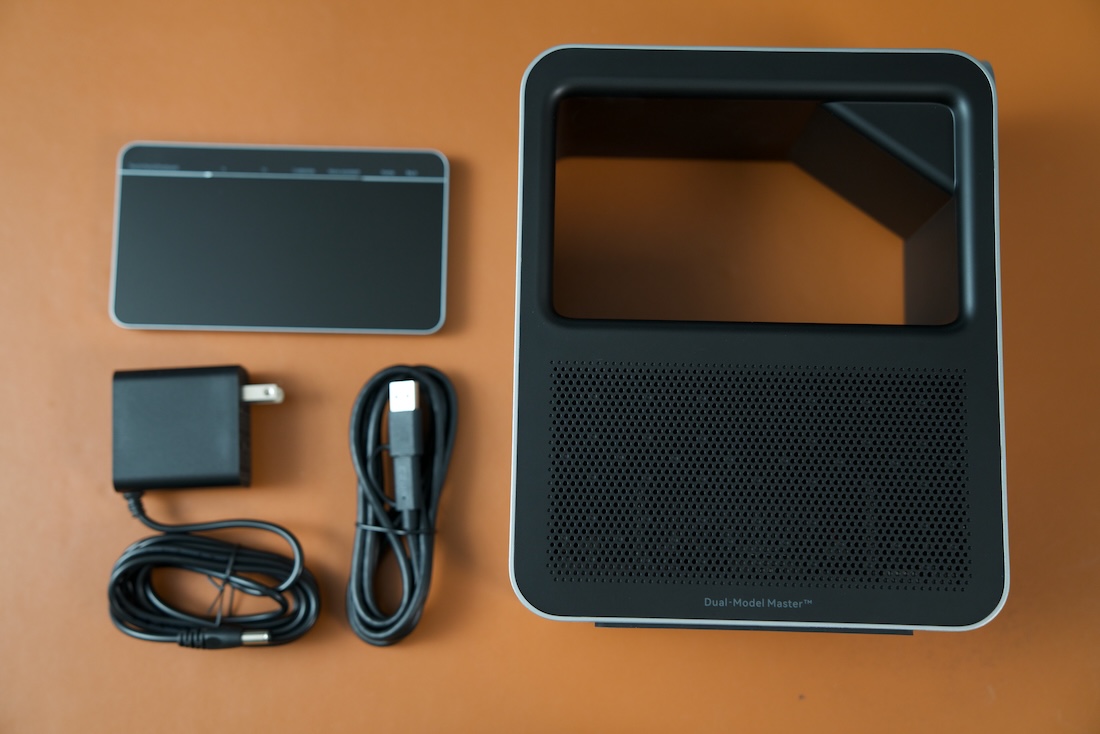
The Core20 was one of those devices that I barely needed to think about during setup. I connected it to my display with an HDMI cable, powered it on, and went through the initial setup. The whole process took me less than a minute.
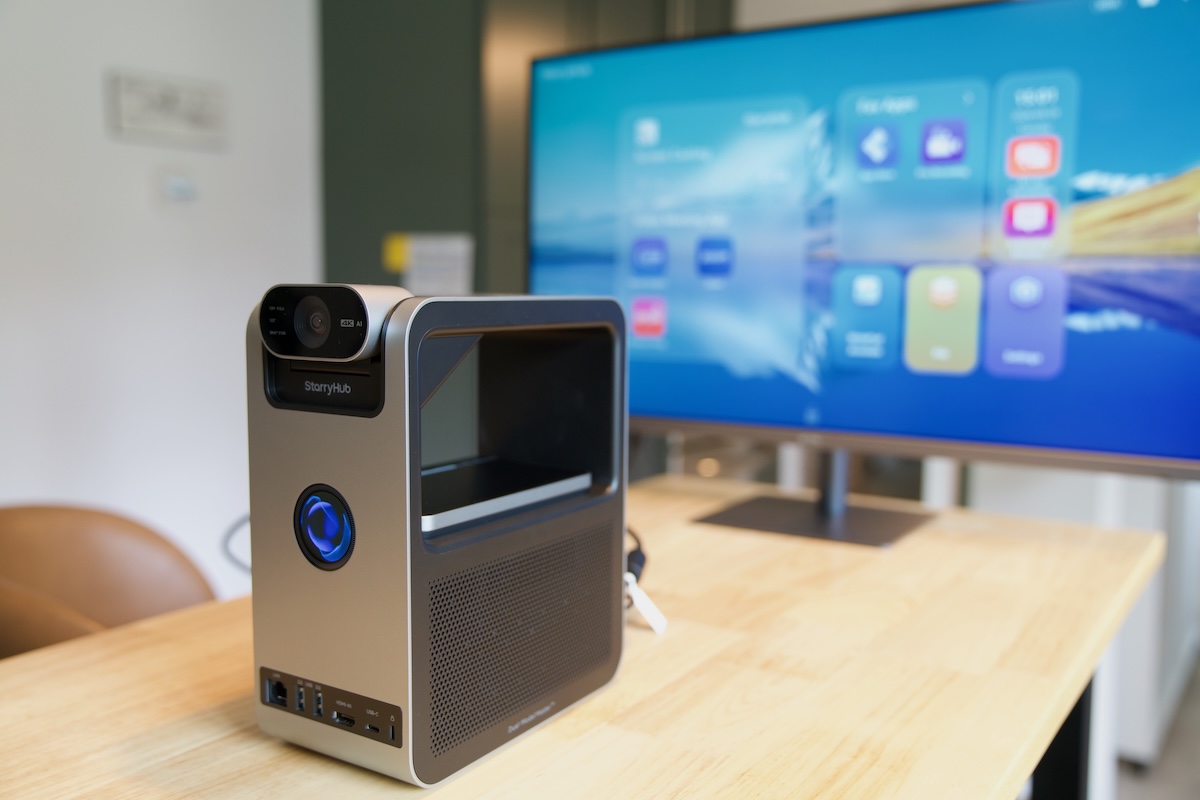
The interface is very simple and intuitive. Everything I needed appeared directly on the screen, so I didn’t have to look through a manual or search online to figure out what to do. If you mainly use Zoom, for example, the app is already right there, and you can simply start a meeting without adding another device to the setup.
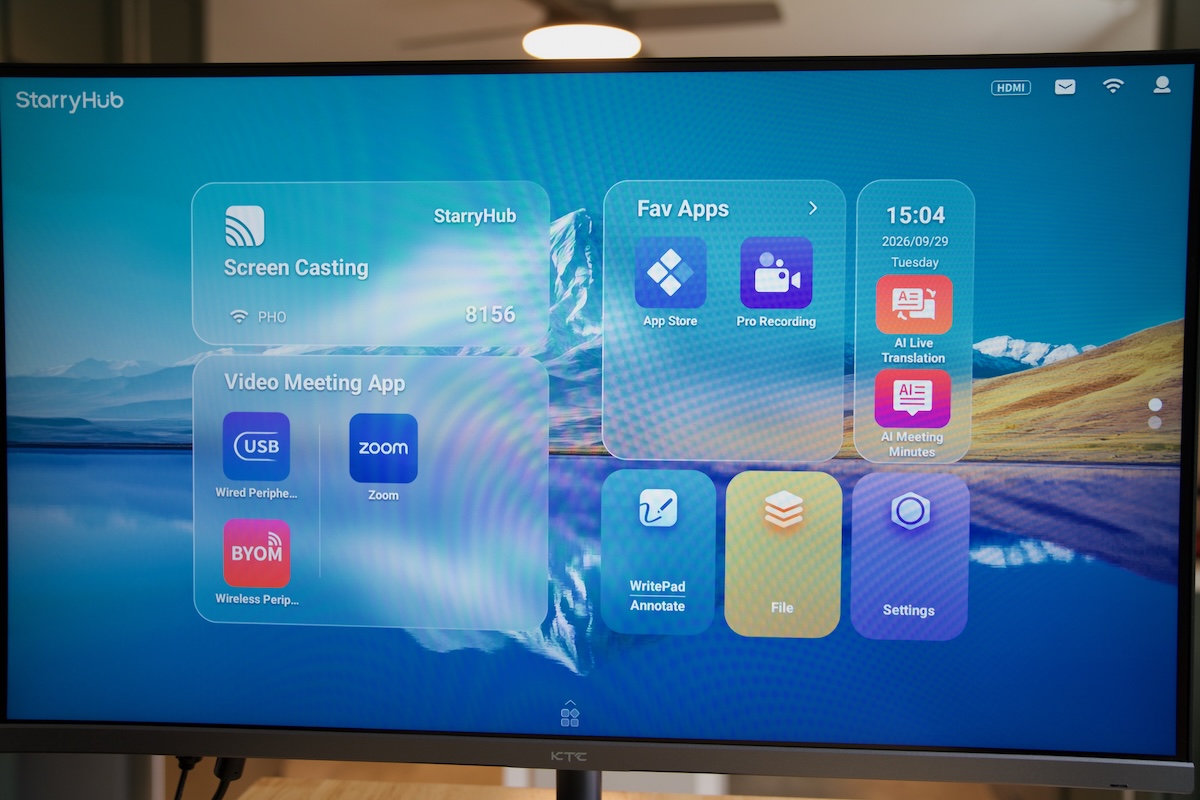
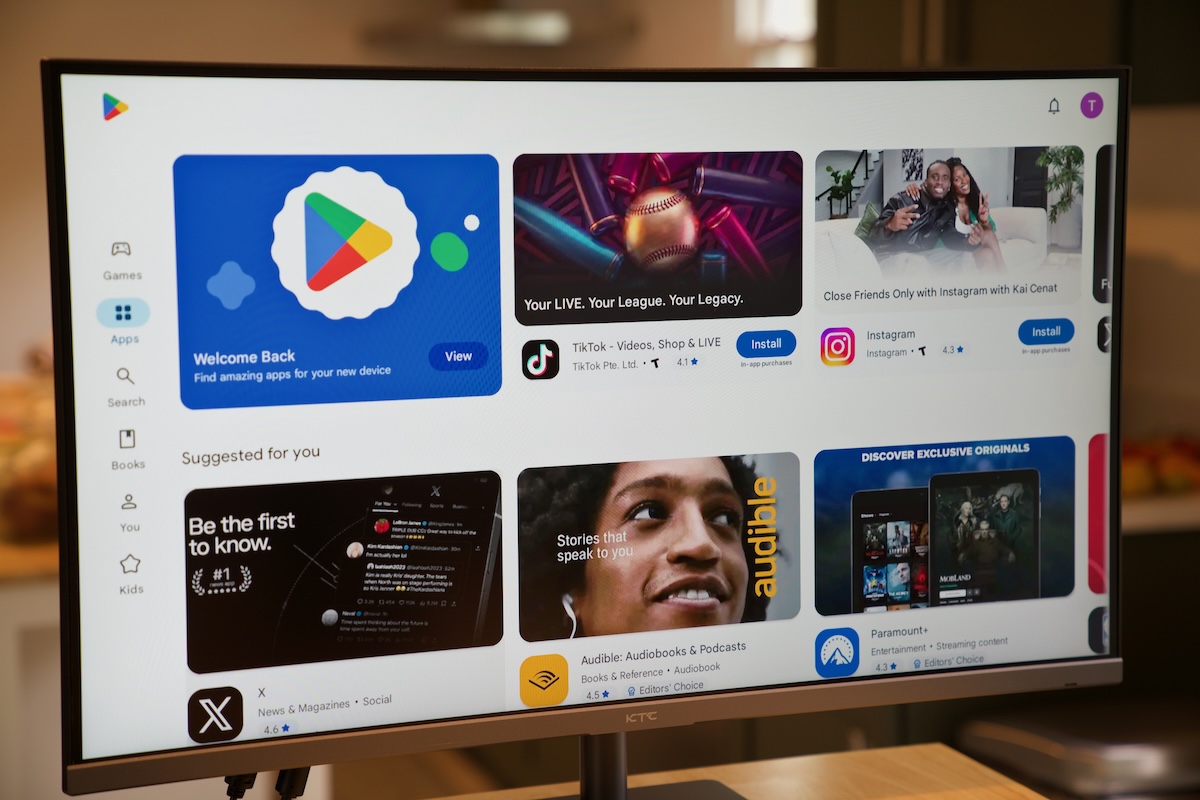
In my case, I use Google Meet more often. Google Meet isn’t readily available on the main interface, but that’s not really a problem because the Core20 runs Android and gives you access to the Google Play Store. I was able to install Google Meet just like I would on an Android device, and then I could use it for my regular meetings.
The Core20 also supports wireless screen casting through AirPlay, Miracast, Chromecast, DLNA, and CZURShare, which makes it useful beyond just video conferencing. I didn’t experience problems with delays, freezing, or any performance issues.
TouchBoard
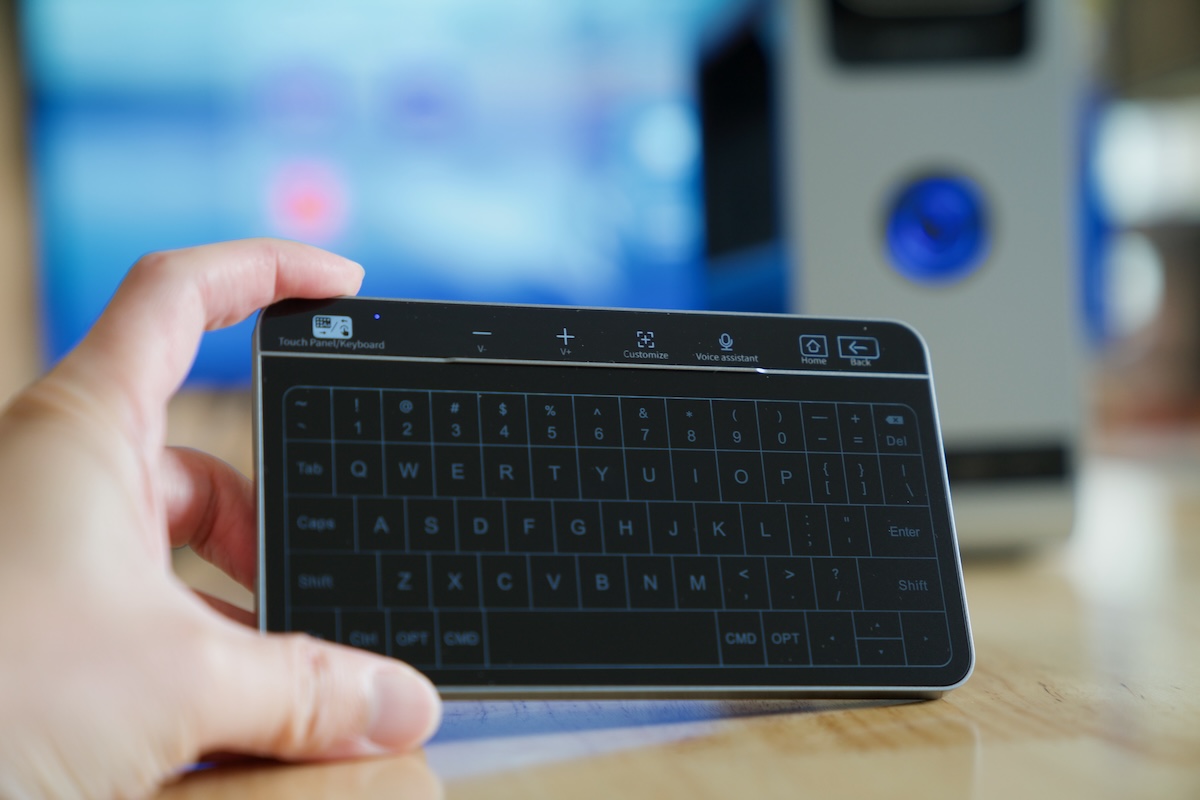
The included TouchBoard is another nice touch that makes the Core20 feel like a complete meeting system. It works as a wireless controller, but it is more versatile because it combines a touchpad with a full keyboard. I can use my finger to navigate the interface, swipe through menus, pinch to zoom, or tap to select items, and then switch to keyboard mode when I need to enter a password or search for an app.
I also like the charging dock built into the system, so there is a dedicated place to put the TouchBoard when I’m done using it. I totally love the TouchBoard as it makes the setup even cleaner with no external keyboard and mouse. However, while the TouchBoard is convenient, it may not fully replace a traditional keyboard and mouse for extended typing sessions or tasks that require more precise control.
4K Camera With AI Smart Framing
The camera is one of the most important parts of a meeting device, and the Core20 doesn’t disappoint. It features a 4K UHD camera with a 123-degree ultra-wide field of view, so it can capture several people sitting together in a relatively small meeting room.
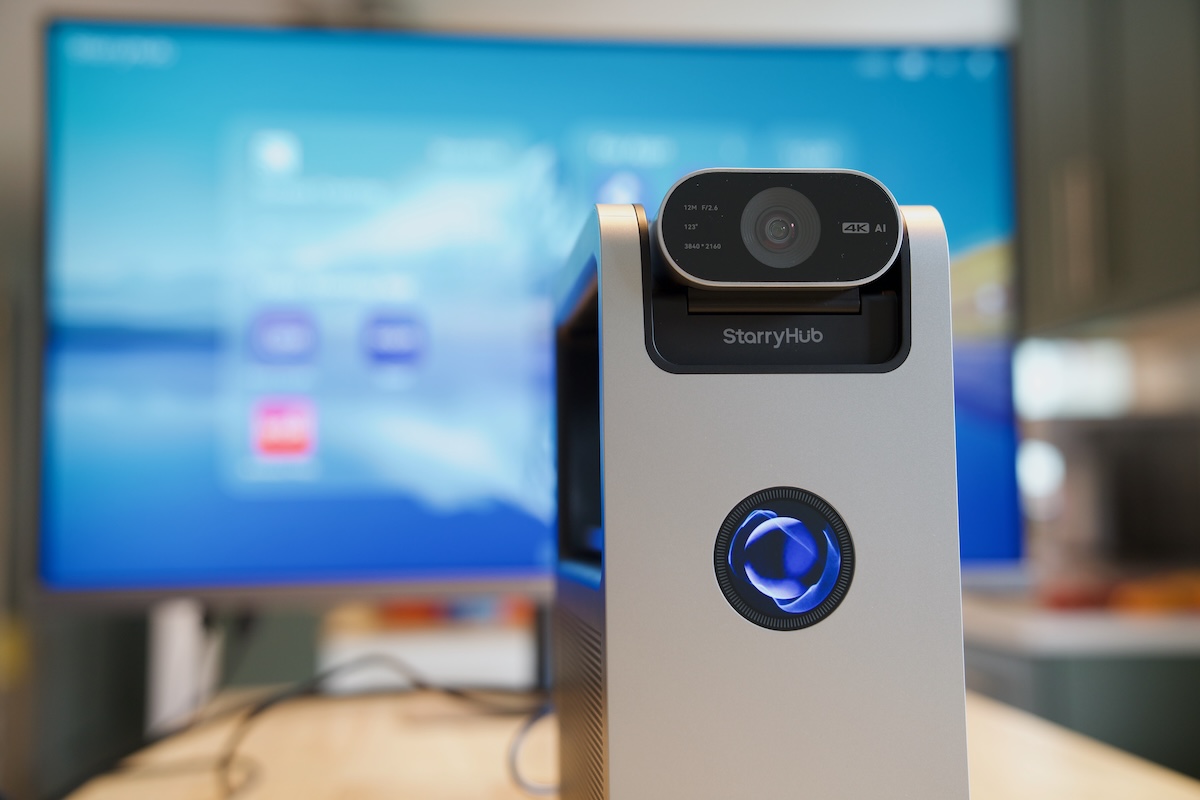
The AI Smart Framing is particularly useful. When there are several people in the room, it automatically adjusts the framing to keep everyone in view. When I’m the only person on the call, it can keep me centered in the frame. This saves me from constantly adjusting the camera manually during a meeting.
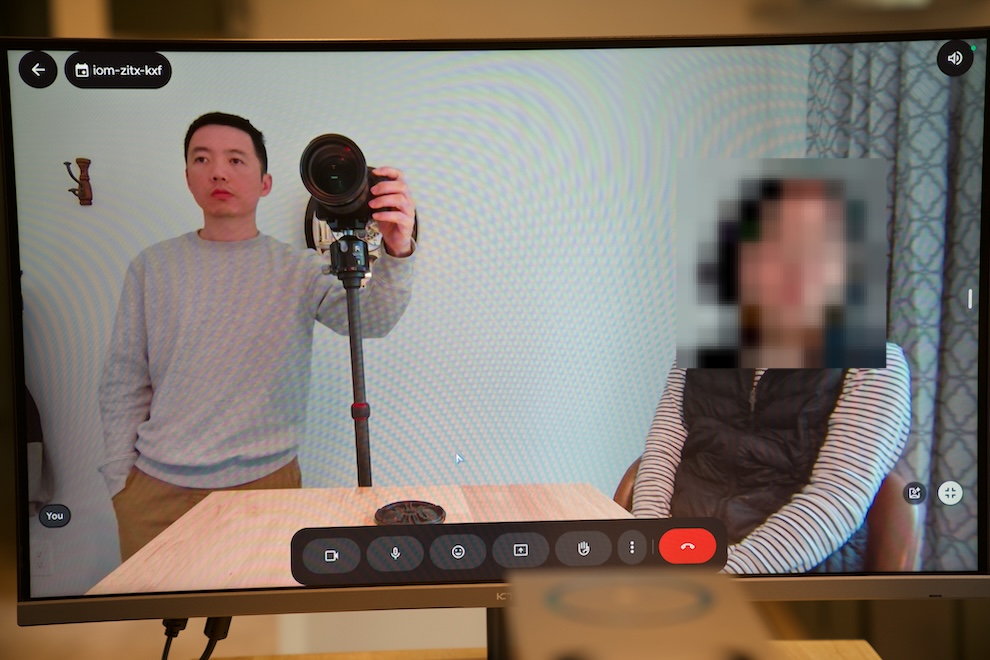
The camera also supports HDR and low-light enhancement, which helps maintain a good image when the lighting isn’t perfect. When I’m not using the camera, I can turn it down for privacy instead of relying entirely on software.
During my video calls, the image quality is quite impressive. The 4K camera gives the Core20 a noticeably more professional feel than simply relying on a laptop’s built-in webcam.
Microphones and Speaker
The audio system is another major part of the all-in-one design. The Core20 has a 6-microphone array with 360-degree voice pickup, along with echo cancellation and noise reduction. This allows people sitting in different positions around a small room to participate in the conversation without having to sit directly in front of the device.
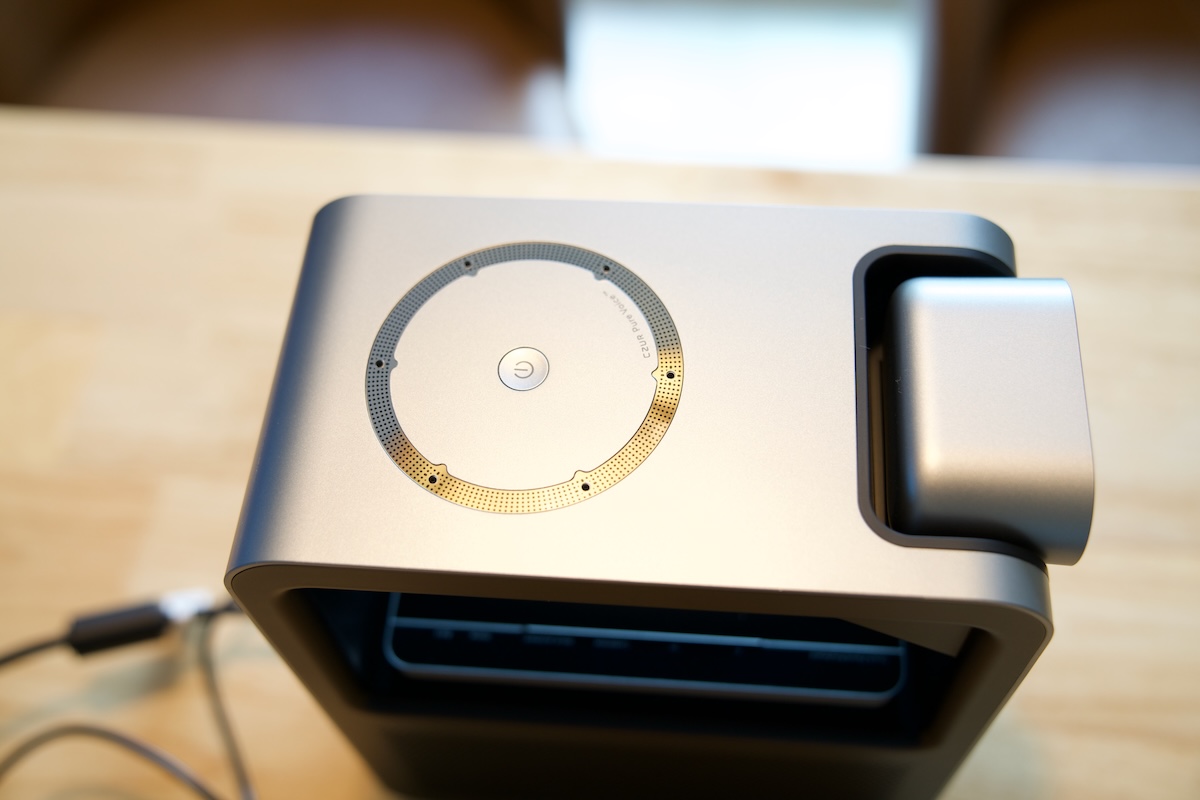
In my testing, voices remained clear during video calls. The built-in speaker is also quite good. Having both the microphone array and speaker built into the same device means I don’t need to connect an external microphone or speaker just to have a meeting.
The result is a much cleaner desk. Instead of having a laptop, webcam, microphone, and speakers all competing for space, the Core20 handles everything.
More Than Just Video Calls
The Core20 also includes several smart meeting features designed to make meetings more convenient. The outline includes features such as Auto Speaker Tracking, Physical Whiteboard and Auto Zoom, Gesture Control, Raise Hand, recording, and bilingual translation.
I think these features make more sense when the Core20 is used as a dedicated meeting-room device rather than simply as a replacement for a webcam. For example, imagine a small team gathering around a TV to discuss a new project. The Core20 can keep participants in the frame with AI-powered tracking, while the Physical Whiteboard and Auto Zoom features can help remote team members follow along when someone presents ideas on a whiteboard. If a team member joins from another office or a different country, the recording and bilingual translation features can also be useful for reviewing the discussion and helping people follow the conversation. Instead of having someone constantly manage the camera or take notes on everything, the meeting can flow more naturally. They are combined with its built-in operating system and large-screen interface, so the Core20 offers a more integrated meeting experience without requiring a separate computer or a bunch of external accessories.
Final Thoughts
Pros and Cons
Pros
- Easy setup
- All-in-one design eliminates the need for other accessories
- Impressive 4K camera with AI Smart Framing
- 6-microphone array with 360° pickup, echo cancellation, and noise reduction
- Smooth, reliable performance during video calls
- Apps from Google Play Store are available
- TouchBoard makes navigating the interface and entering text easier
Cons
- Hefty price tag not suitable for small companies
- The TouchBoard is convenient for basic navigation and text entry, it can’t fully replace external keyboard/mouse.
The StarryHub Core20 is a straightforward solution for anyone who wants to simplify video conferencing. Its biggest strength isn’t one individual feature but the way everything works together. For me, the biggest benefit is the simplicity. I can connect the Core20 to a display and have a complete meeting setup without any other equipment. If you regularly have small meetings or simply want a cleaner and more professional video-calling setup, the Core20 is a decent upgrade over a traditional webcam-based setup.