Generating an impressive AI video clip is one thing. Turning several clips into a watchable story is another. Characters can change between scenes, settings can shift unexpectedly, and getting the pacing right may require moving between generation and editing tools.
HiDream.ai aims to address that gap with vivago R1, its AI video creation agent. Rather than treating each prompt as an isolated request, R1 brings scripts, storyboards, visual assets, video generation, and revisions into one project. Its central proposition is not just a better-looking shot, but a more manageable route from idea to finished production.

Starting With a Brief, Not a Toolchain
R1 accepts natural-language instructions and references, including images, video, and documents. Users can describe a story or advertisement, provide material that establishes its look, and develop the project through conversation.
Behind the interface, a lead agent interprets the brief and plans the work. Specialized agents handle tasks such as scripts, storyboards, characters, environments, and audio, while HiDream’s HD-AgentOS coordinates their shared project context.
R1 supports videos of up to five minutes within a single production workflow, with further rounds of creation available to extend a project. That is a stated capability, not a promise that every brief will immediately become a polished five-minute film.
Chat for Direction, Canvas for Review
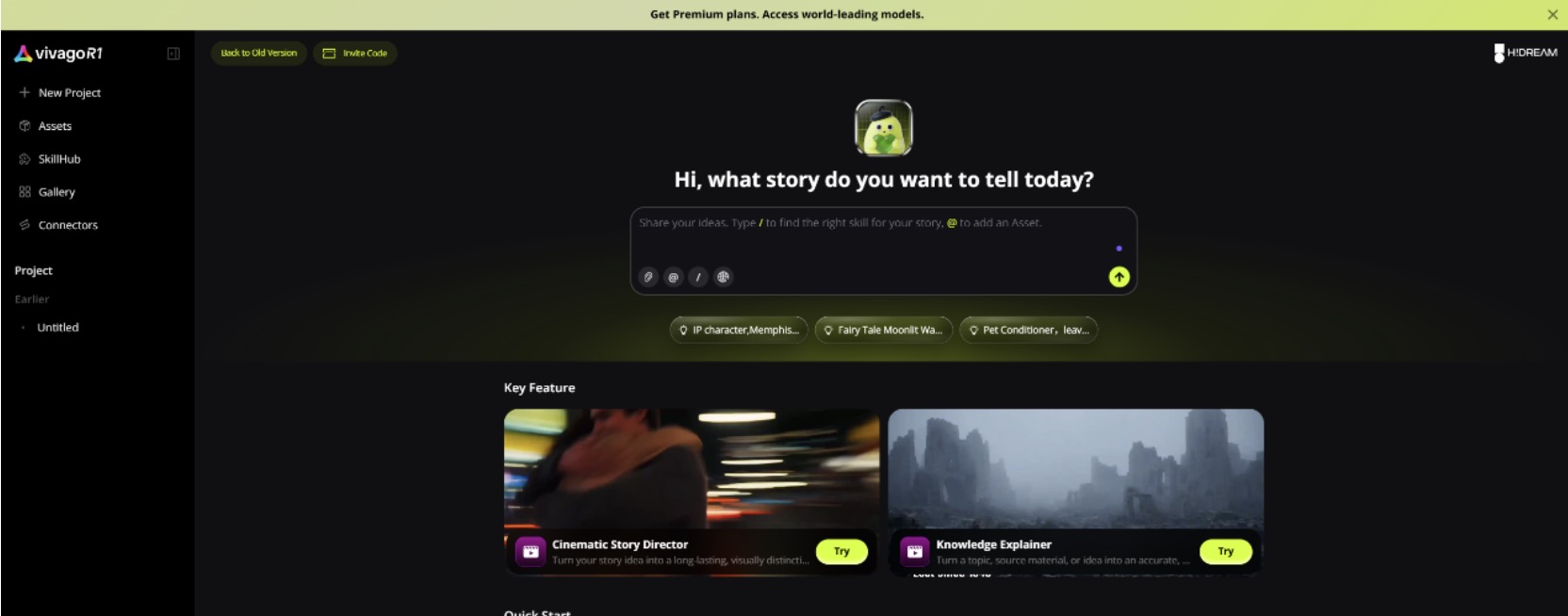
A chat thread makes it easy to give instructions, but scripts, images, and drafts also need a place to be reviewed. R1 pairs conversation with a visual canvas that organizes storyboards, video, and key assets.
In a demonstrated workflow, R1 receives a creative idea, selects the Cinematic Story Director workflow, develops a storyboard and key images, then pauses for confirmation before generating video. That checkpoint lets the creator assess the direction before moving further into production. Automation does not have to mean surrendering every decision.
SkillHub Gives Prompts a Starting Point
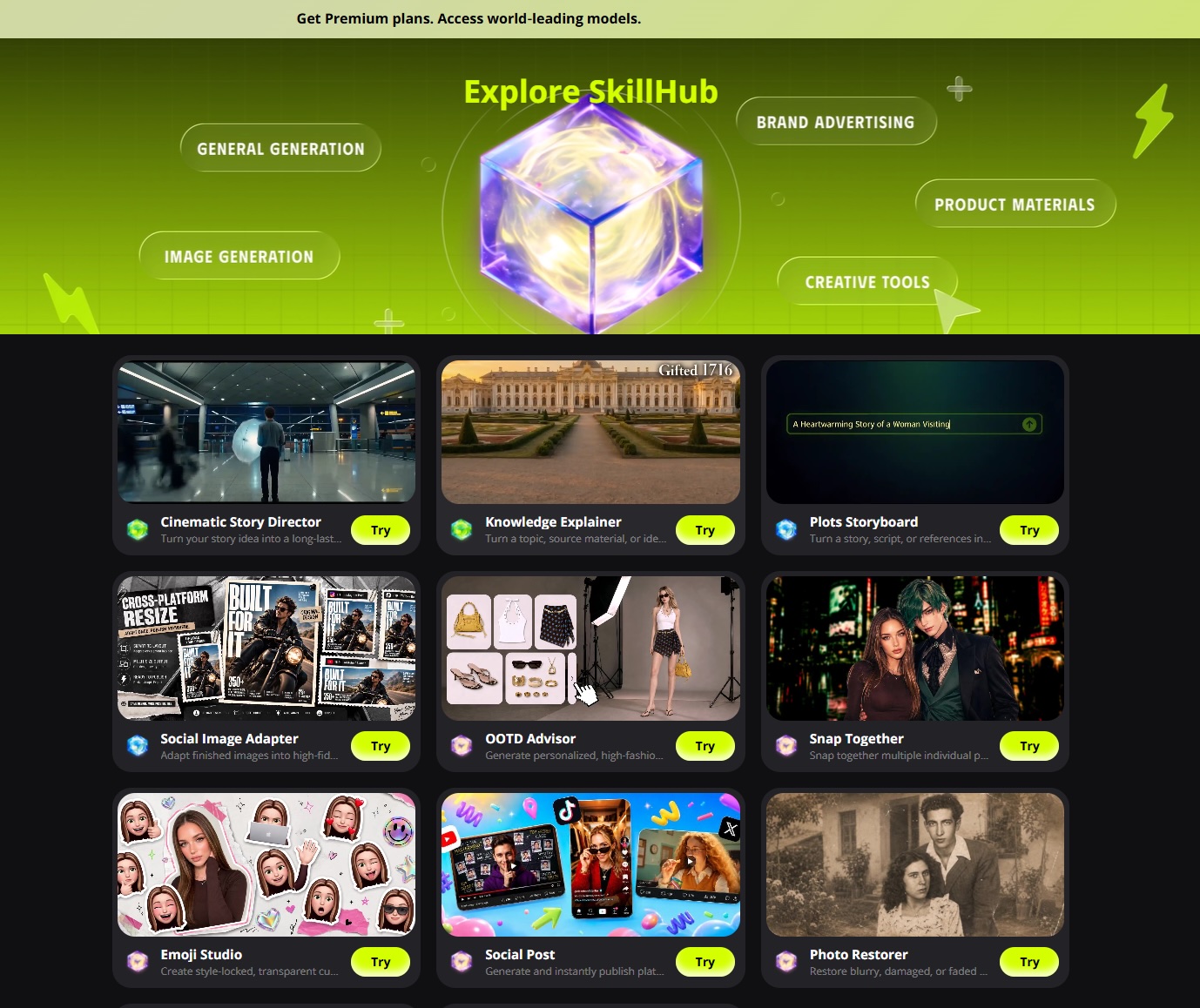
An open prompt box offers freedom, but it assumes users know what to ask for. R1’s SkillHub offers reusable workflows for tasks including advertisements and narrative shorts, giving the agent a clearer starting point than “make something cinematic.”
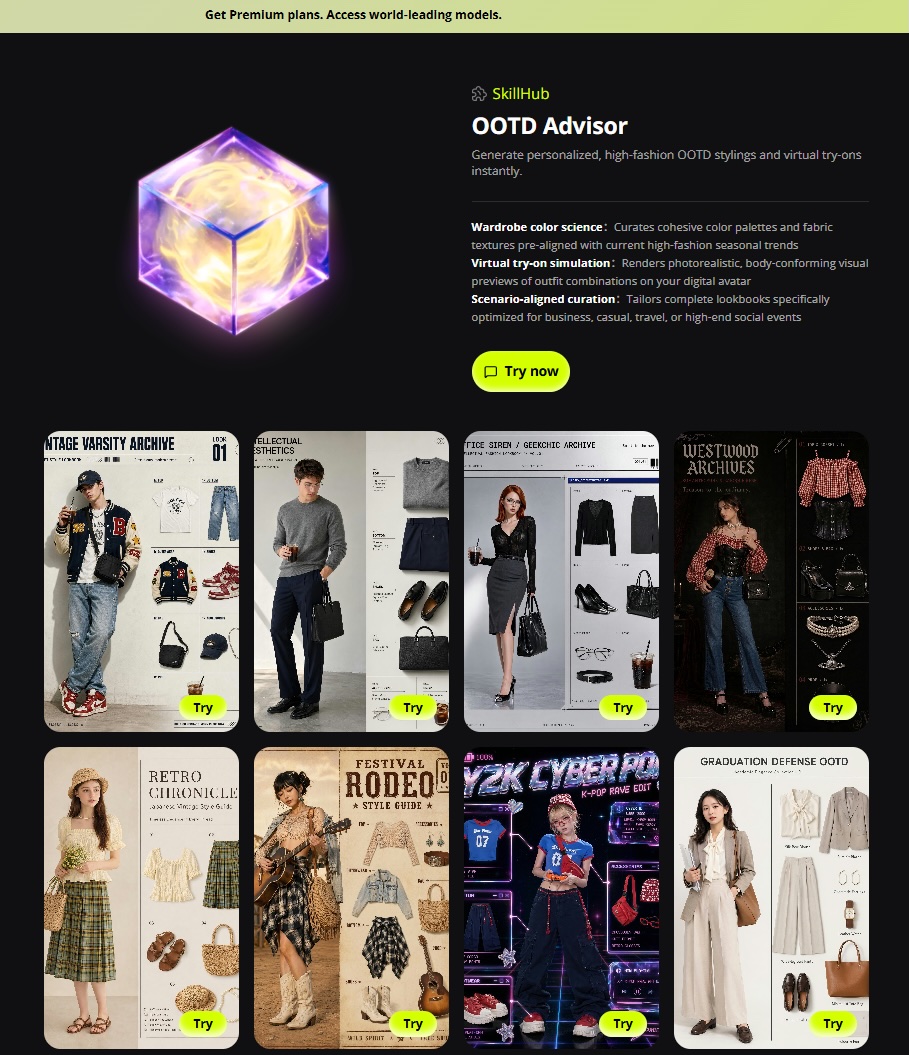
Its OOTD Advisor provides a smaller-scale example. In a demonstrated use case, an AI-generated character image becomes the reference for four distinctive, work-appropriate outfit concepts. Those concepts can help establish a character’s wardrobe before video production begins. The example shows how a focused creative task can feed a larger project rather than remain a one-off experiment.
Keeping the Assets Worth Reusing
Finding a character design that works is only helpful if it can inform the next scene. R1 includes an asset library for saving approved outputs and reusing them. Reference tools are designed to help preserve characters, locations, props, and voice characteristics across shots.
An outfit developed with OOTD Advisor, for example, can become part of a character’s established visual identity. For recurring characters, branded campaigns, or episodic stories, that could reduce the need to rebuild the creative starting point each time. R1 also supports carrying established characters and settings into subsequent episodes.
None of this removes the need to inspect continuity. It does, however, make consistency part of the production workflow rather than a problem left entirely to repeated prompting.
What the Examples Show—and What They Do Not
Creator examples include a nearly five-minute story inspired by Journey to the West and an advertisement following a designer who captures visual inspiration with a red foldable phone. Both require more than a single showcase shot: actions and settings must connect while the central subject remains recognizable.
Demonstrations cannot establish how reliably every project will perform. Anyone evaluating R1 should look beyond image quality to transitions, character continuity, audio, and how easily a particular scene can be revised.
CLI Access for Technical Teams
Vivago also offers a command-line interface for developers and compatible AI agents. Supported tasks include initiating video generation, processing media, and managing production jobs. Teams can use these capabilities within scripts, task queues, or batch workflows instead of handling every job manually in a browser. Their practical value will depend on the integrations a team needs.
The Takeaway
HiDream plans to integrate its HiDream-O1-Video-1.0 model, which generates 1080p video with natively synchronized audio, into R1 in an upcoming update. That planned integration should not be confused with features already available in the product.
For now, R1’s clearest proposition is its workflow: chat for direction, a canvas for review, SkillHub for getting started, and reusable assets for maintaining a project’s identity. For creators making narrative shorts, marketers developing ads, and teams producing recurring content, the question is not simply whether R1 can generate attractive footage. It is whether it makes the journey from an idea to a finished video easier to manage.
vivago R1 is available at vivagoai.go.link/2G0b0.