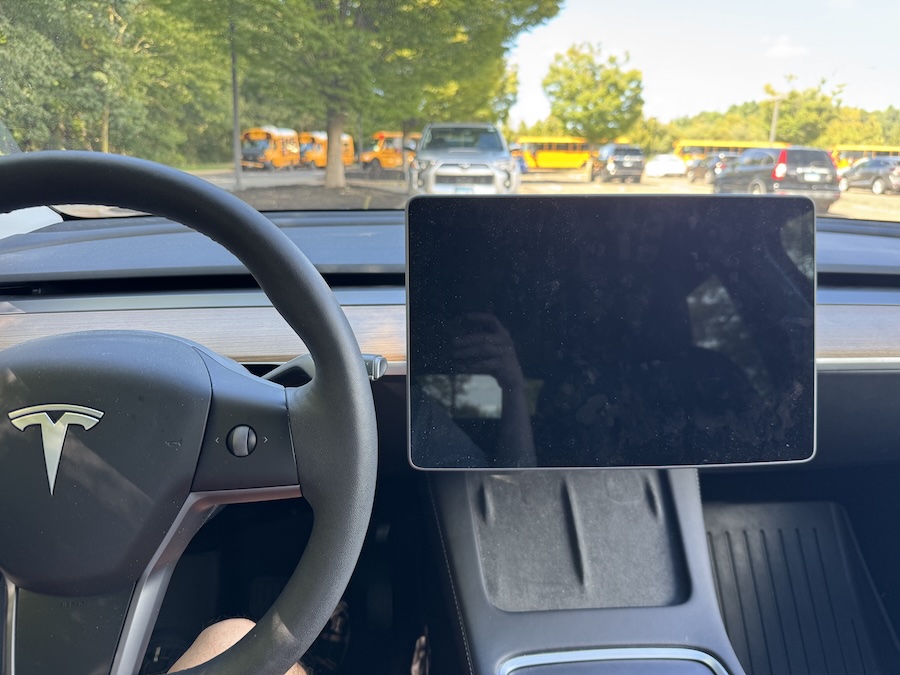
The other day I got into my Tesla Model Y expecting a normal drive, but this time the screen was completely black. I pressed the brake pedal, but nothing showed up. I tapped on the display several times, still nothing. For a moment, I thought the car wouldn’t drive, but strangely, it did. The lights and turn signals worked fine, yet I had no speedometer, no cameras, and of course no FSD since the system had clearly failed.
I tried the standard reboot Tesla recommends. I tried holding the two scroll wheel buttons on the steering wheel for about 30 seconds. Nothing happened. I held them over a minute, but the screen stayed dark. I had to drive home without any display information; It was stressful as there is no assistance, no A/C, no music. I couldn’t see my speed, didn’t know how much battery I had left, and even my phone wouldn’t connect to the car. Fortunately, I made it home safely and plugged the car in, hoping a charge might fix things. It didn’t.
At that point, I scheduled a service appointment through the Tesla app. I was shocked as the earliest slot was 30 days away. That felt crazy, especially since the car was technically driveable but completely blind in terms of information.
The next morning, I got into the car and saw the screen flickering. I figured I might as well try the reboot again by holding down both scroll wheels. This time, the Tesla logo finally appeared. The system restarted, and the display came back to life. The relief I felt seeing that logo was huge.
I still don’t know exactly what caused the issue. Maybe it was a firmware glitch, maybe some crash in the Media Control Unit. Whatever it was, it definitely shook my confidence a bit, because so much of the Tesla experience depends on that single display. Driving without it reminded me how vulnerable you are when it suddenly stops working. For now, the screen is back and everything feels normal again. But I’m keeping an eye on it, and if it happens again, I’ll be pushing harder for service.