I’ve used plenty of smart home devices over the years, but some of the most interesting ones are products that solve an everyday problem in a slightly different way. The Everblog FridgeCal™ 2 is a good example. After spending time with it, I found that it is totally different from my previous AI calendars.
Add Smart Features To Your Refrigerator
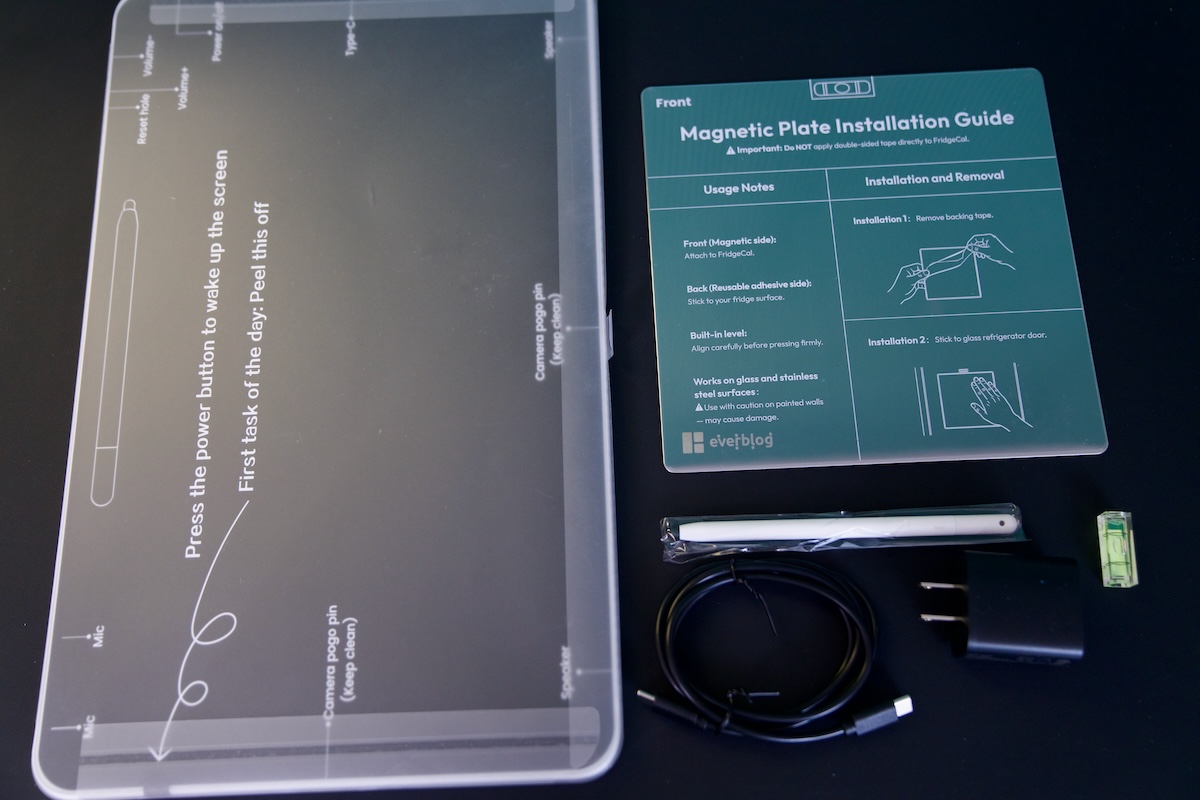
The first thing I noticed is the size of the display. The 15.6-inch HD touchscreen gives the FridgeCal™ 2 enough screen real estate to become a family hub rather than just another small smart display. The touchscreen interface can be customized, and the included dual styluses make it possible to write grocery notes, reminders, or other information directly on the screen.
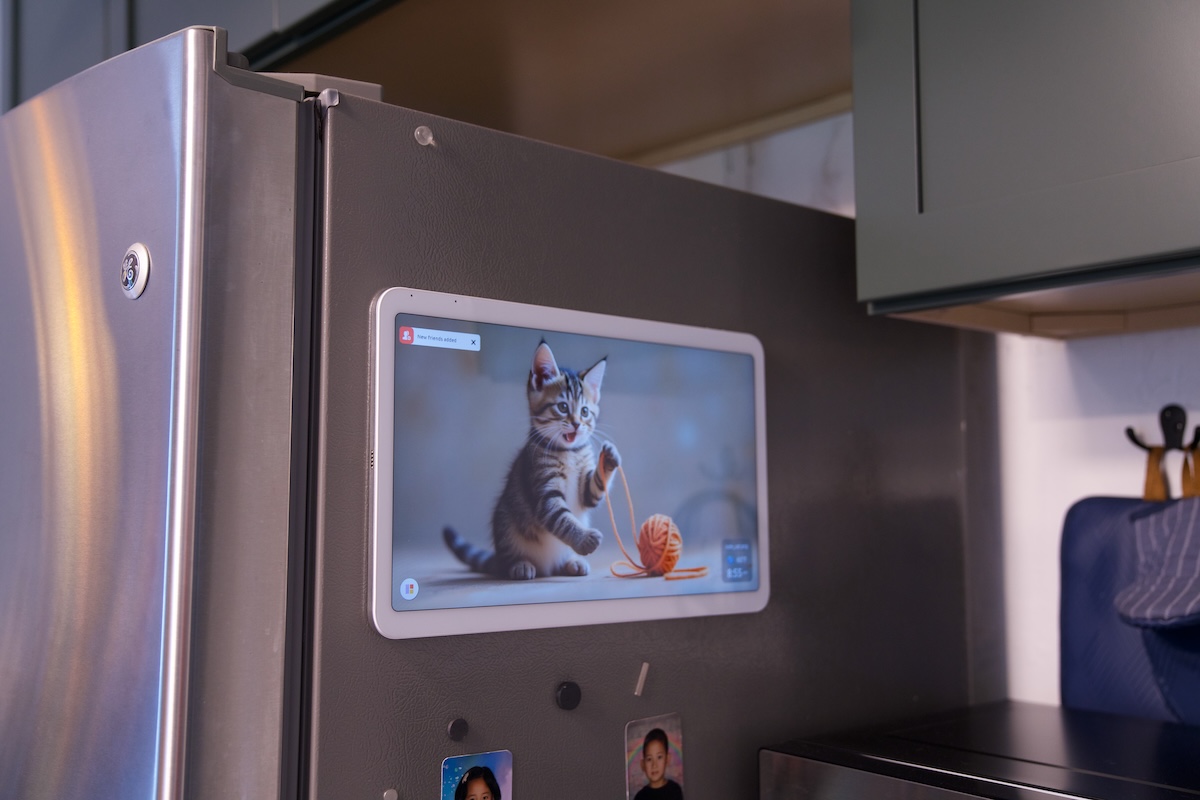
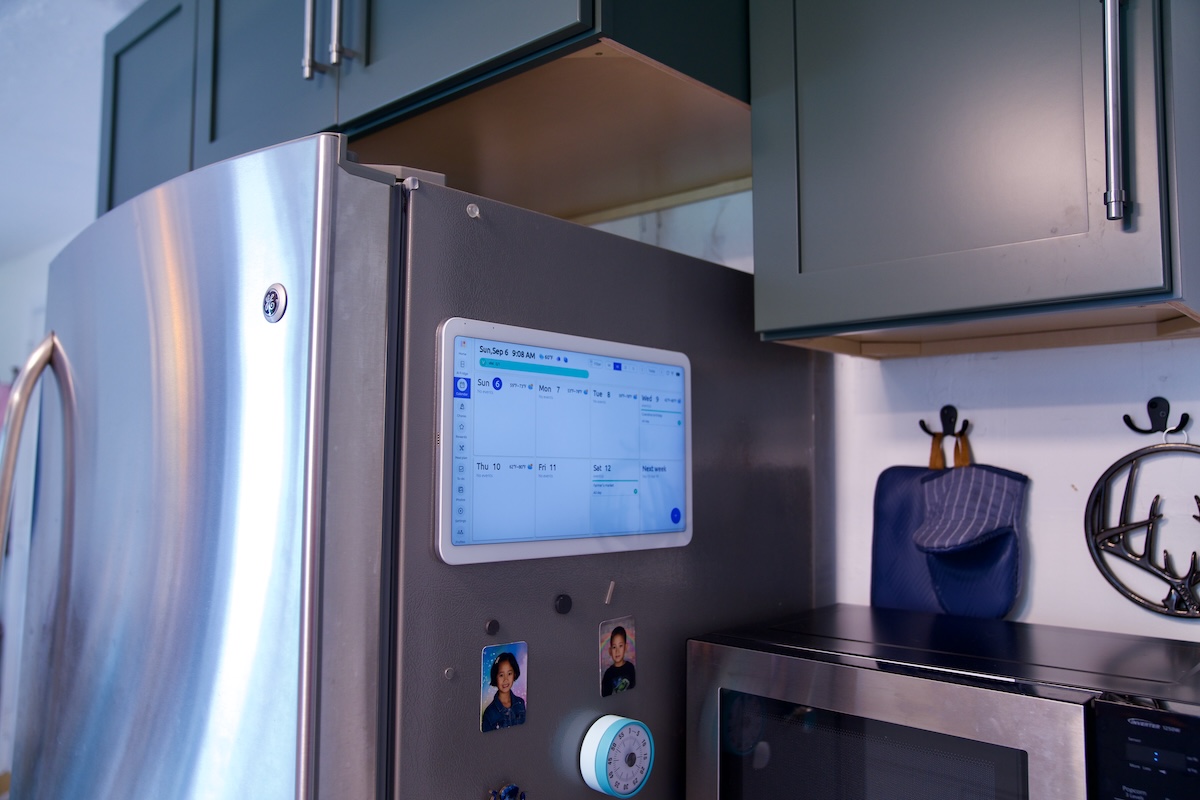
The magnetic mounting system is another important part of the design. It attaches securely to the refrigerator door, and they include a magnetic plate for glass or non-magnetic refrigerator doors. That makes the concept much more practical because you don’t necessarily need to replace your refrigerator or find another place to mount it. I install the FridgeCal™ on the side of my fridge because its front door is a bit curved. I like this position because it makes recharging the device easier. It is equipped with millimeter-wave radar technology, which only automatically wakes the device when someone approaches. This helps reduce unnecessary power consumption and save energy more effectively. I still need to recharge it daily because my kitchen is quite busy.
I particularly like the idea of having the display right where the family naturally spends time. The kitchen is already where we plan meals, check what’s in the refrigerator, and prepare food, so putting the calendar and food-management tools there makes a lot of sense.
AI Grocery Tracking Is Amazing
For me, the most interesting feature is the AI-powered food inventory system.
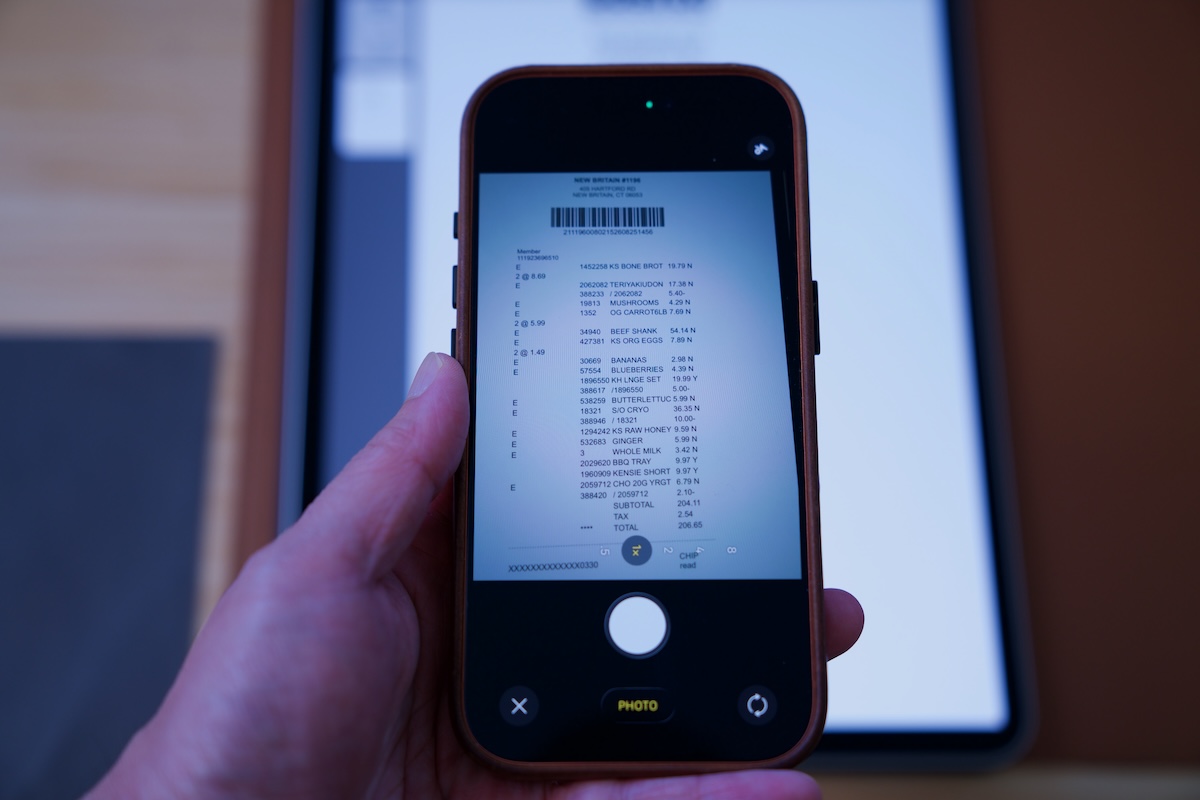
After a large grocery trip, keeping track of everything I bought can be surprisingly difficult. FridgeCal™ addresses this with AI receipt scanning. Instead of manually entering every grocery item, I can use the Everblog App on my phone to take a picture of the shopping receipt. The AI recognizes the food purchased and adds the items to the FridgeCal™ inventory.
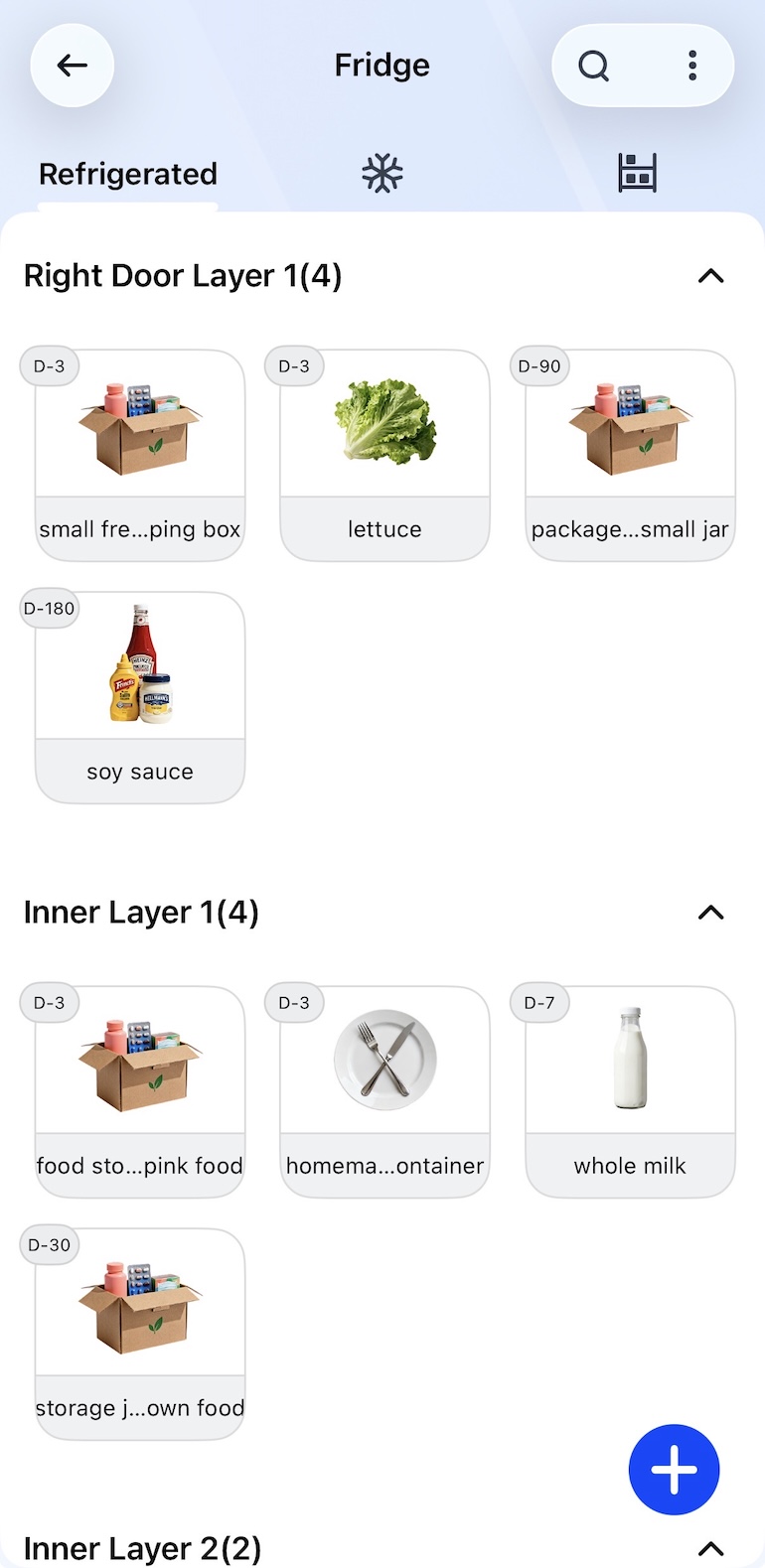
That is a much more practical approach than asking me to maintain a grocery database manually. The intended workflow is especially convenient after a big Costco-style grocery run: scan the receipt, let the AI recognize the items, and then have the inventory synchronized with FridgeCal™.
There is also an AI Fridge Scan. I can take a photo of the inside of the refrigerator, and the AI identifies ingredients and adds them to the inventory. This feature is nice but it can’t scan everything in your fridge, especially foods on the back. Therefore, I prefer scanning my receipts for the most accurate grocery tracking.
What Should I Make for Dinner?
One of the biggest frustrations at dinner time isn’t necessarily cooking – it’s deciding what to cook. The Magic Fridge AI Recipes is designed to help with exactly that problem.
I can simply ask, “Hi Everblog, what’s for dinner tonight?” or select ingredients from the refrigerator inventory. The AI then generates recipes based on what’s available. Once I choose a recipe, I can tap Play and follow step-by-step cooking instructions directly on the display.
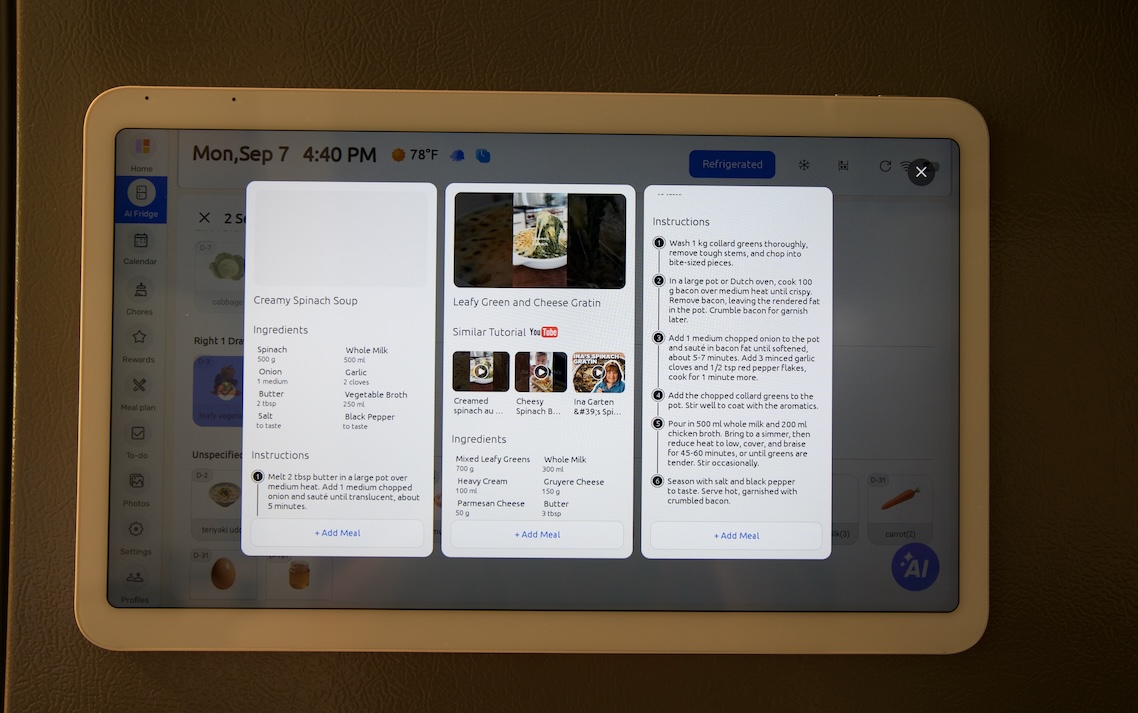
I like the connection between these features. The receipt scan creates the food inventory, the inventory tells me what I have, and the recipe feature turns those ingredients into meal ideas. Instead of being three unrelated features, they form a workflow that actually makes sense.
Meal Planning and Family Scheduling
The calendar is also designed to handle the more traditional family-calendar functions.
The 7-day meal planner lets me organize breakfast, lunch, dinner, and snacks throughout the week. Recipes can also be imported through search, a URL, photo, upload, or voice, which gives the meal-planning system more flexibility.
For families, the calendar itself supports color-coded family members and Schedule, Day, Week, and Month views. It can also synchronize with Google or Outlook calendars. That means the display isn’t limited to food management; it can become a centralized place to see what everyone has planned.
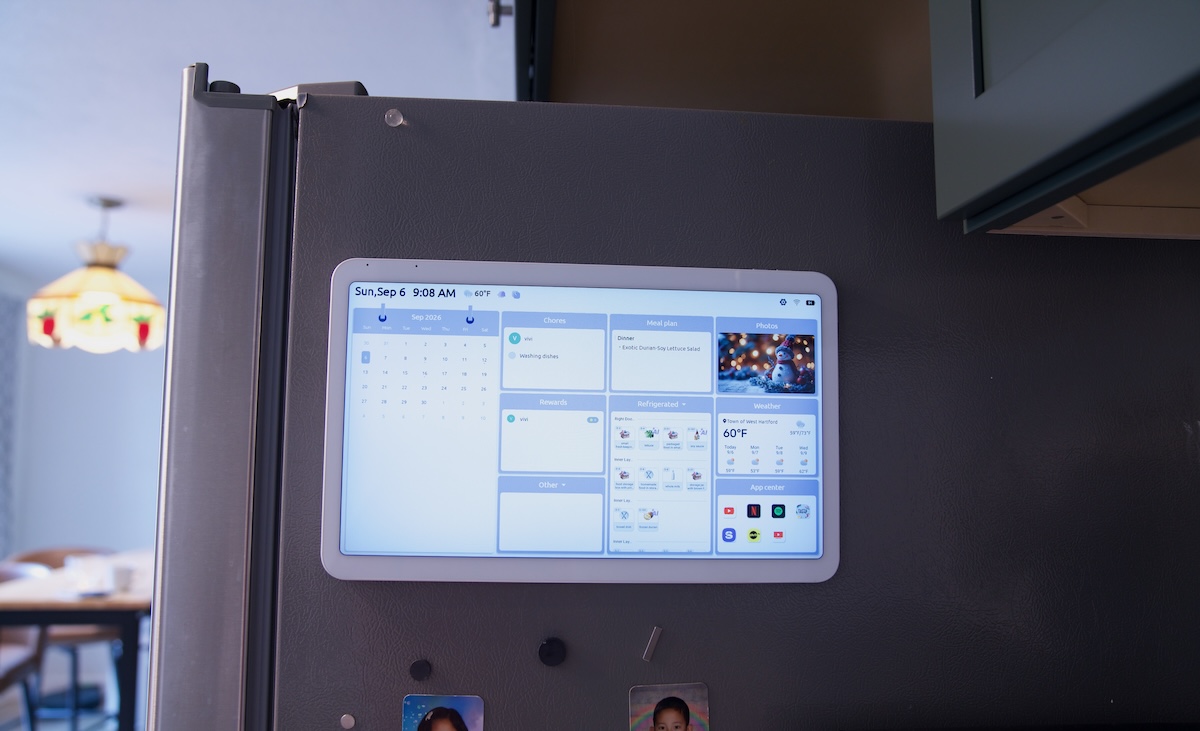
The customizable home screen is a nice touch as well. I can adjust the layout and widgets depending on which information is most important to my family.
More Than a Kitchen Calendar
Another feature I didn’t initially expect is the entertainment capability. While cooking, FridgeCal™ 2 can play supported content from services such as YouTube, Netflix, TikTok, Tasty, and Apple TV. This makes the large touchscreen useful even when I’m not checking the calendar or looking at groceries.
For example, I can have a recipe open while preparing dinner and then switch to music or a video while I cook. It feels more natural than having to pull out my phone and constantly worry about getting it dirty in the kitchen.
For families with children, the parental lock is another thoughtful feature. A password can prevent children from changing device settings or accessing entertainment features without permission. In a busy family kitchen, that’s a small feature that can make a difference.
Final Thoughts
The Everblog FridgeCal™ 2 is much more interesting than its name might suggest. It isn’t simply a digital calendar stuck to the refrigerator. Its biggest strength is how several everyday kitchen tasks connect together: grocery shopping, food inventory, meal planning, recipe discovery, family scheduling, and entertainment. It creates a workflow that can potentially make it easier to use the food I already have instead of constantly wondering what to make for dinner.
It is designed around the kitchen and the routines that happen there. For a busy family, having one central screen that helps organize both the household schedule and what’s happening in the refrigerator could make the kitchen a little more organized.