If you are the kind of a person who constantly needs to switch over from a PC to your Android Smartphone, you must be finding it inconvenient and troublesome to look at your phone just to check out from whom the message was. A terrific solution would be accessing your android phone through the web. The androidweb.com app is all you need! It’s a free app through which you can access your photo gallery, SMSes and even your phone location. It thus allows you to control your phone the way you usually do, but, through the web.
Setting up Androidonweb
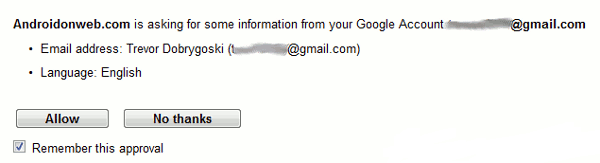
Androidonweb is available exclusively on the Android market. Install it on the phone and then start using it right away! You will need to sign in on it using the Gmail account associated with your Android phone. Visit http://androidonweb.com from your PC side and login using the same Gmail account. After a minute or so of nothingness, you will finally see a screen when your Android phone gets paired with this web application.
Using Androidonweb
Nothing much is left to be done on the phone once you grant permission to the app. Turning some notifications On and Off is the only thing you will be able to do on the phone once you are logged in with the phone paired with the web app.
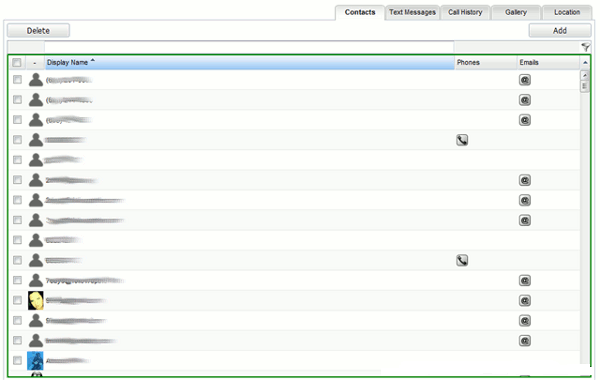
On the web side, however, it’s a totally different story; you can do anything you want! Once you sign in with your Google account, you will see a screen with 5 tabs on the top of the window. It includes a Contacts tab using which you will be able to edit. Send an e-mail to them by merely clicking the @ icon.
The text message tab is the one that will probably be used quite often. You can begin typing a text message to any of your contacts by clicking ‘compose’ and by typing their name in the green colored bar. If he/she isn’t in your contacts, you can type the number directly.
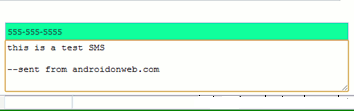
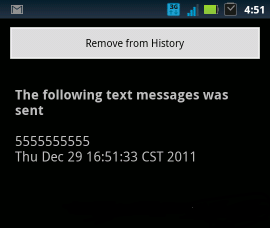
Press send on the PC to send the SMS through the phone! How cool is that! Check out the Tasks tab on the phone to see sent messages. Another tab similar to the SMS tab is the gallery tab.
One can view pictures in the phone through it. But the tab that takes away the cake is the one that finds the location of your phone. And rightly so! You will have to worry less about your lost phone from now.
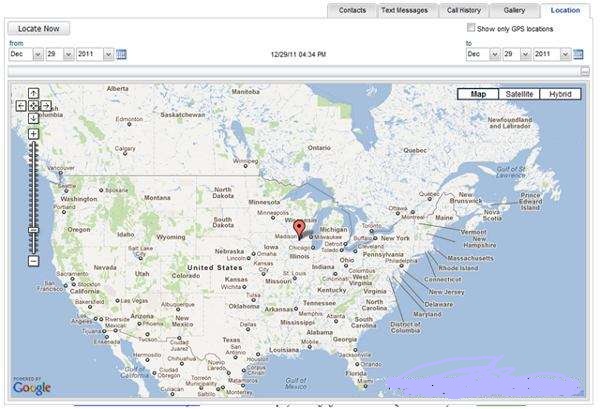
The feature proves as a very helpful tracker when you have lost your phone. Just click on the Location tab to see the phone’s location using Google Maps!
Conclusion
Tests on the Androidweb have given out great results. The text messaging tab is a bit inconvenient though. Even though there are options to sort the messages, you cannot arrange the messages back and forth. But otherwise, the Contacts and Gallery tabs do provide a good functionality. Certainly an app worth checking out.
Samir says
Wow wonderful and informative post mate, I never known that Androidonweb can be used to access android web browser. I’ll surely try out the above method.
Thanks