If you happen to follow Tech news then you probably know about Google’s new service named Newsstand which was launched recently. This application keeps you updated with latest news offerings and happenings in the world similar to what we see in Apple’s Newsstand. You have various categories to choose from.
But if you remember Google did have a similar service already named Google Current so why did they launch a new one? I think Google Current was focused on one category only whereas Newsstand has combined in all the perceptive of news, magazines, shows and more. It’s a win-win situation for Google. I felt that Currents was a bit of resource hug whereas Newsstand uses a very little bit of memory. In addition to Currents, Newsstand does combine the usability of Google Reader; this can also be the death of Reader service by Google.
Design and Navigation:
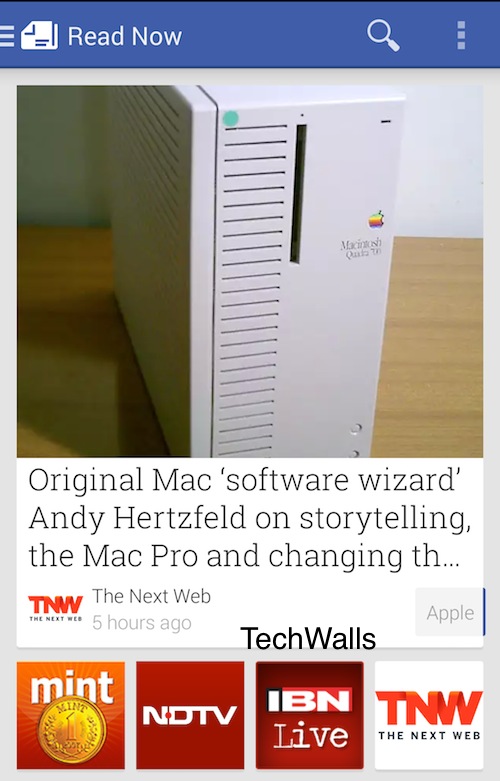
When you will use Newsstand then it’s going to give you a feel of Flipboard and currents hybrid. I felt that design engineers have done a great job there. Navigation is another important aspect of any application and the way you can navigate on Newsstand is superb Simple yet efficient.
Features:
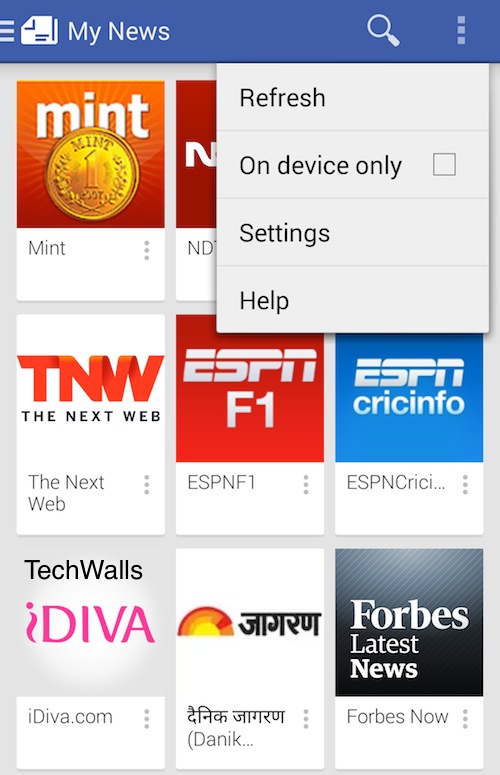
There are four basic categories such as: Read Now, Explore, Bookmark, and My News. Click on Read Now and you will get the taste of latest news, and offering by any type of Online Media even in your local languages. Then Going to My News you will see channels categorised according to their genre and rank. Choose the one which you want to listen to. You can even bookmark some important news or article or later reading. All your bookmarked stuff will appear in this portion. Explore, this section is dedicated to magazines where you have different categories to choose from. Though Google give you the list of some top magazines which they feel you should follow.
Verdict:
I feel that if you find this app interesting then you don’t need to download different apps for different purposes as it does the work of RSS feed news and magazine at a one spot only. For this I will give this application full mark.
Download:
You can download Google Play Newsstand from Play Store; link for the same is given here: Newsstand
If you are already using this application then do share your views and experience with this application. For those who haven’t used it yet should try it at least once and I can bet you are going to like it.