Google Maps released an update for their Android users on Friday, offering a couple of new features for not only their average user, but also their active biker variety as well.
Below we will go through a quick run-down of the new features, a couple of nice screenshots to show what you will see once you update, and even a video to showcase a couple of the new features. Let us know in the comments below on your thoughts about Google Maps’s latest update for the Android platform.
Added Features
The first main feature of the update is the improved voice. When you are making use of your phone for directions, it can dangerous to look at your phone at certain times when you should be focusing on the road. Now, you can make use of voice to get the latest information on traffic, find out your estimated time of arrival, among other things.
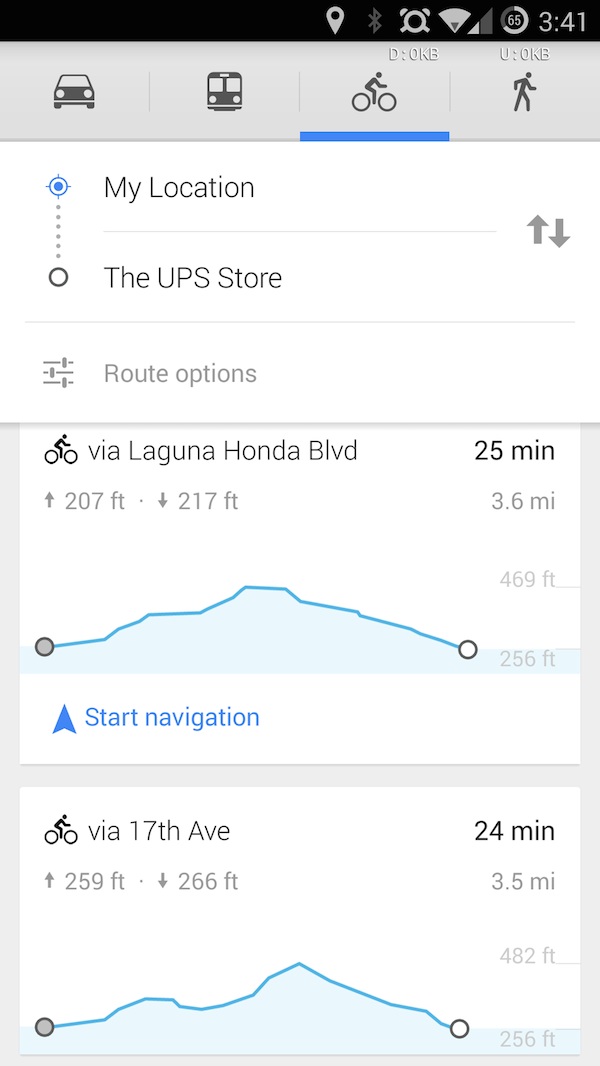
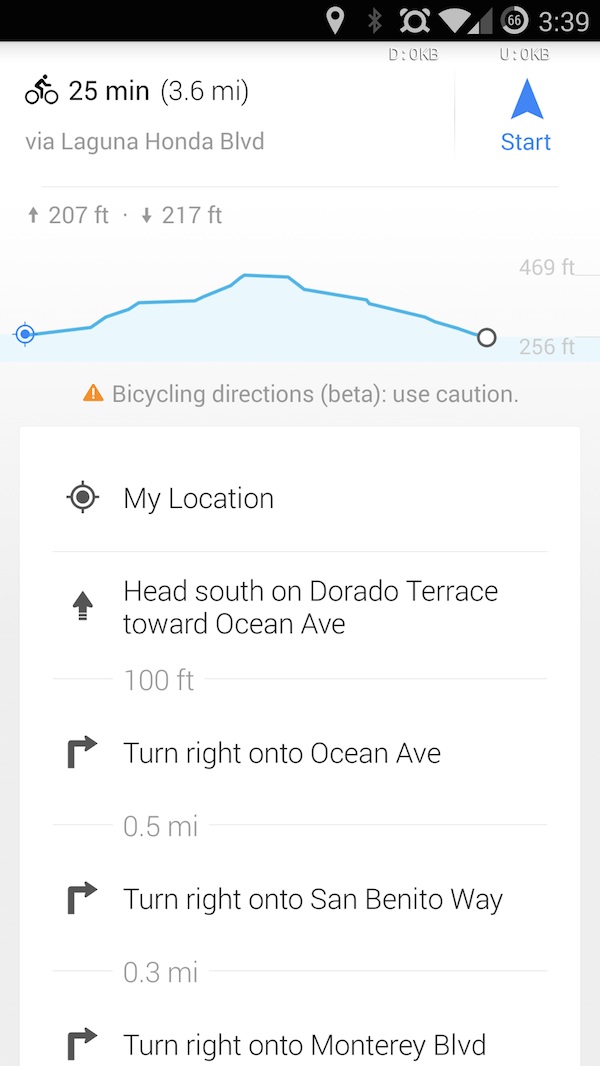
As a biker, I can feel the excitement that Android users are experiencing with the improved biking experience on Google Maps. Along with of course being able to get your biking route, you can also see the elevation of the route, allowing you to compare routes to choose the one with less (or more) incline. This can ve great for those looking to use less energy (commuters) and those looking for a workout (more incline). All of these new features also come along with font changes and the addition of the Uber option.
The Features at Work
Below, we have a video made from Android Police, that showcases the voice feature and also highlights the new addition of the elevation feature for bikers.
The update is expected to be pushed to the devices of Android users over the next couple of days. If you haven’t gotten it yet, just wait a little bit longer. Once you do get the latest update to your device, let us know in the comments below what you think of the newly added features.