The two-factor authentication system has been seeing increased adoption since Google implemented the identity management tool not so long ago for its users to whom security greatly matters without sacrificing the ease of accessibility.
It even led other Internet companies such as Facebook and Microsoft their own versions of a two-factor authentication. In order to bring the two-step verification into order, Google launched the Authenticator app, which manages the verification codes. However, users did not find it easy to use.
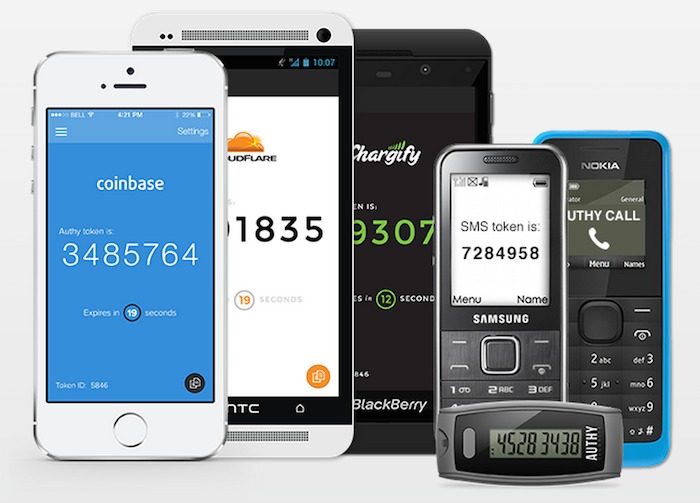
Here enters Authy. The tool works to generate a unique series of 6-digit PIN every 30 seconds after receiving a secret key. What’s more, the app is cloud-enabled, meaning you can do a backup and device synchronization in real time on a virtual server. The syncing capability is a particularly enticing feature, because it helps you generate secret codes on another gadget if one device is not immediately available for use.
And since it is an app that manages assets for maintaining user security, it should be in itself secure also. Which it did not fail to do. Authy encrypts all tokens using a password that is stored in its local drive prior to the syncing process with the app’s cloud servers. That feature makes it even harder for third-party spying eyes to perform any advantageous tasks on your online transaction in case of a breach into Authy’s servers.
Authy also features an unsophisticated PIN-lock system, which works to prevent unauthorized persons from generating their own codes if ever they would succeed in breaking into an unlocked phone and open the app to compromise its security. In other words, this feature on Authy sets a limit within a limit, layer upon layer. This is something that Google Authenticator failed to address.
As if those layers of security were not enough, Authy requires users to enter a PIN that the device holder receives through a text message or by a phone call in order to verify his identity. Once that verification process is complete, he can then enter a password to the app in order to decrypt a token. Only then can he register or add a device into the list of approved gadgets by Authy.
In an age where the cyber space has given a new definition to security, users of all things digital and online are always wary of systems to keep their credentials and sensitive information free from the claws of attackers and eavesdroppers. At the same, the convenience of managing this security system tops all consideration.



