Google Play Music is one of my favorite services as I can store my whole music collection (up to 50,000 free songs) and get access anytime anywhere. However, I was not aware that there are some limits imposed by Google.
I got a new phone the other day and when I tried to sign in to Google Play Music from the phone, it showed an error telling me that I reached the limit of 10 devices using the service and I need to deauthorize one of my devices before adding another.
I went on and pressed the Manage Devices button to see a list of my devices. Then I tried to remove my old phone from the list but another message kept showing up: “Cannot deauthorize more than 4 devices in a year“. This is really weird because I’d removed any device in the last year, I even saw some devices used in 2013 but I still couldn’t remove it.
So I guessed this might be a bug and my solution was to contact Google. Here are the steps:
1. From your phone or computer, go to Google Play Help page
2. Select your issue. Choose Music -> Problem Playing Music
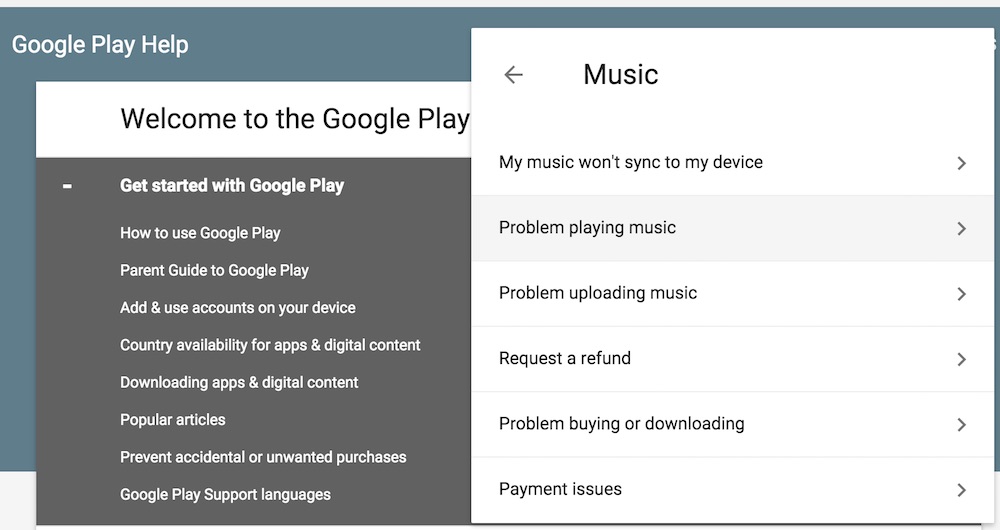
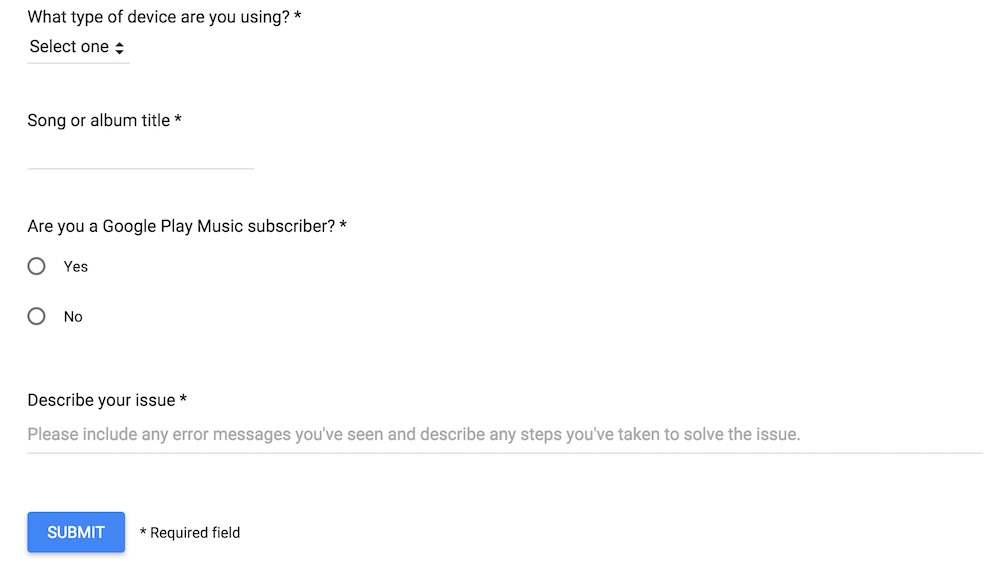
3. Then you will have the option to call Google or email them. I chose Email and then fill in some required information and describe the issue.
4. After a few hours, I received an email from Google support
I understand that you’ve reached the authorized device limit for Google Play Music, and that you’ve also reached the device deauthorization limit for the service as well.
What I can do is reset your authorized devices list for you right now. This will completely clear the list of all authorized devices, so you’ll need to sign in to each device that you use again to authorize it. This will also reset the deauthorization count as well. Does that sound good to you?
Please respond back to this email and let me know if you’d like to have this reset and I’ll be more than happy to help
5. I responded to the email to confirm that I want to refresh the list. All done, now I can keep enjoying my music.
Do you have the same issue with Google Play Music and how did you solve it?


William Knudsen says
Yes this is my only issue with Google Play Music. I have called once before to have them reset my devices but I have quickly used up my deauthorizations for a second time. I switch phones regularly and this has become a major pain in the ass. I am on the fence and thinking of switching to Spotify’s family plan but GPM has the YouTube Red carrot dangling in front of me.
Asswipe says
This Is b*** i cant upload anymore song!!!