Retiring a data center is one of those projects that sounds simple until you’re actually standing in the room looking at racks, cable trays, old labels, and that one “temporary” storage box nobody has claimed in two years. At that moment you realize decommissioning isn’t an IT chore—it’s a high-stakes mix of operations, security, logistics, and money.
And the part most teams underestimate isn’t the physical work. It’s the order of operations and the paper trail. If you do it in the wrong sequence, you can break systems you didn’t know were still alive. If you skip documentation, you can’t prove data was handled correctly. If you treat everything like scrap, you leave real value behind.
What follows is a more human, narrative-style playbook for doing it right—without turning it into a rigid checklist—while still giving you the practical structure you’ll need.
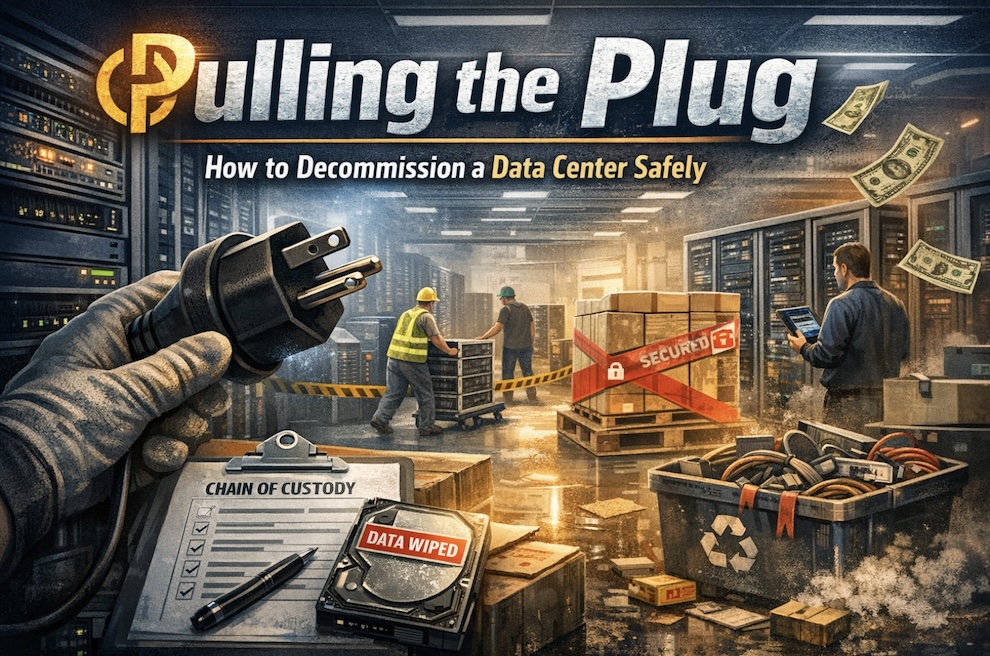
The real meaning of “data center decommissioning”
When people say “decommission,” they often imagine unplugging servers and rolling them out on dollies. In reality, you’re closing a chapter of your infrastructure lifecycle. That includes:
- figuring out what’s actually running and who depends on it (which is almost always more than you think),
- moving or shutting down workloads,
- sanitizing data in a way you can defend later,
- removing equipment safely (and in the right order),
- recovering value from assets that still matter in secondary markets,
- and closing out facilities requirements so you don’t get dinged by landlords or compliance teams.
That’s why the best decomm projects feel less like “IT cleanup” and more like a carefully staged move-out.
Start by solving the “What breaks if we touch this?” problem
If you’re doing this in a mature environment, you’ve got a clean CMDB, tidy labels, and no mystery gear. But most data centers aren’t like that, especially if they grew over time.
So the first thing to accept is this: your dependency map will be wrong on Day 1. That’s not failure—that’s reality.
What matters is how quickly you can get to “wrong, but improving,” and then to “confident enough to shut things off.”
A good approach is to look at the environment in layers:
- Workloads (VMs, bare metal, containers, storage volumes, databases)
- Network (VLANs, firewall rules, tunnels, cross-connects)
- Identity and management (AD/LDAP, secrets, monitoring, backups)
Usually, the hidden dependencies live in that third layer. People remember their main apps. They forget that an old monitoring server is still sending alerts, or that a legacy domain controller is the only one serving a weird subnet.
One practical move: give yourself a short observation window where you don’t change anything and just watch traffic and logs. You’re trying to catch the “oh wow, that’s still used?” connections before you make irreversible decisions.
Treat storage like evidence, not hardware
This is the heart of a safe decommission.
When you remove gear, you’re not just moving metal—you’re moving the possibility of customer data, credentials, logs, backups, and secrets leaving the building. Even if you’re convinced “those drives are empty,” you don’t want your process to rely on belief. You want your process to rely on proof.
The mindset shift is simple: assume every drive has something sensitive until proven otherwise.
That means your sanitization plan should answer three questions clearly:
- What standard or method are we following?
- How do we verify it worked?
- How do we tie proof to specific devices (serial numbers)?
Because if anything ever gets questioned—internally, by a customer, by an auditor—“we wiped it” is not a strong statement. “Here’s the serial, here’s the wipe log, here’s the verification, here’s the custody chain” is a strong statement.
Also, don’t limit this thinking to drives alone. Network gear configs can contain sensitive details. Out-of-band management interfaces can hold credentials. Backup appliances can be more sensitive than production because they often contain everything.
The physical layer is where good plans go to die (unless you manage it like logistics)
After migration and sanitization planning, reality shows up wearing steel-toe boots.
People come in and out. Equipment gets staged. Pallets appear. Something “temporarily” lands in a corner. And suddenly you’ve got a real risk: your project becomes a messy warehouse scene where nobody can tell what’s sanitized, what’s not, and what’s supposed to leave.
You don’t need to build a fortress, but you do need a few controls that keep things sane:
- Clear staging separation (sanitized vs. not)
- Tight access (even just a simple named access list and escorts)
- Chain-of-custody when assets move hands
- A consistent tagging method so status is obvious at a glance
Think of this like a kitchen during a dinner rush: if you don’t label and separate, mistakes happen. And in decommissioning, some mistakes are expensive.
Sequencing matters more than strength
A common mistake is to remove equipment “in whatever order is easiest.” That’s how you end up tearing out something that was quietly supporting a dependency you missed.
The safest pattern tends to be:
- remove low-risk racks first,
- keep core networking alive longer than you think you need,
- leave critical power/cooling changes for very late in the project.
Even if you’re shutting down an entire facility, you don’t want to discover in week eight that your last remaining monitoring or identity component lived on a box that got pulled in week three.
Stop thinking “scrap.” Start thinking “value recovery.”
This is where a lot of decommissioning projects quietly lose money.
When teams are under time pressure, they default to “just recycle it.” And sometimes recycling is absolutely the right answer—especially for obsolete or damaged gear. But other times, the environment contains assets that still have real value, especially in electrical infrastructure and certain categories of enterprise equipment.
This is where specialist recovery can make a difference. Iron Flag Power Systems describes itself as handling electrical infrastructure recovery and data center decommissioning—essentially, the intersection between “remove this safely” and “recover value where it still exists.” Their approach is aligned with the idea that you shouldn’t treat an entire room like junk just because it’s being shut down.
That “recover before you demolish” mindset is how you avoid leaving money on the floor.
Where budgets blow up: the stuff nobody put in the spreadsheet
Even when the technical side goes smoothly, projects run over budget because of the real-world costs that show up later:
- freight and rigging (especially for heavy equipment),
- regulated disposal (batteries are a classic pain point),
- lease restoration clauses (return-to-shell requirements),
- internal staff time (your best people get pulled into coordination),
- and delays that extend rent and utilities longer than planned.
Decommissioning is one of those projects where the last 10% can cost 30% of the time and stress. Planning for that doesn’t make you pessimistic—it makes you realistic.
If this shutdown is tied to a business event, align early
Sometimes a decommission is simply “we’re moving to a new colo.” But other times it’s part of a bigger business story:
- a restructuring,
- a carve-out,
- a merger,
- or preparation for a sale.
In those situations, the decommission intersects with valuation and risk. Buyers and investors care about how cleanly things were retired, whether liabilities remain (leases, vendor contracts), and whether sensitive data was handled properly.
That’s where it can make sense to involve advisory support early—especially if your infrastructure decisions affect the narrative of stability and readiness. A Neumann & Associates, LLC positions itself in M&A advisory and business sale processes where operational readiness and risk clarity matter.
What a “good” decommission feels like
When a decommission is run well, it doesn’t feel dramatic. It feels boring in the best possible way.
Things are tagged. Everyone knows what’s next. Sanitization is documented. The environment shrinks in a controlled way. The final day isn’t a scramble—it’s a last sweep, a final confirmation, and then a quiet moment where the room is empty and you realize: nothing broke.
That’s the goal.
Not just removal, but a defensible closeout—security-safe, operationally clean, and financially smarter than “just toss it.”