• Skip to primary navigation
  • Skip to main content
  • Skip to footer
  • Home
  • Advertise With Us
  • Contact

TechWalls

Technology News | Gadget Reviews | Tutorials

  • Reviews
  • Guide
  • Home Improvement
  • Gadget & Apps
  • Collectible
  • Deals
  • News

MaxConverter Review – A Free Online Video Converter

By Guest Authors

People always hesitate to use free software downloaded from the Internet because a lot of them could contain malware, virus, or ransomware. There’ve been numerous cases we detected viruses inside the software, however, a lot of them might not be detected by anti-virus programs and you can’t remove viruses later. That means your computer is always at risk when using free software, especially when it comes from unreputable developers.

File converter software is among the most popular free software available on the Internet and I hardly install one without thorough research. Malware was even detected in some paid converters. If you don’t want to take the risk, you totally can use an online video converter. It doesn’t require registration or installation, so your computer will totally be safe.

The tool we are checking out today is MaxConverter. You can convert video files on a web browser like Google Chrome and I’m really surprised how easy the whole process is. Once visiting the website, you will be presented with the following simple interface.
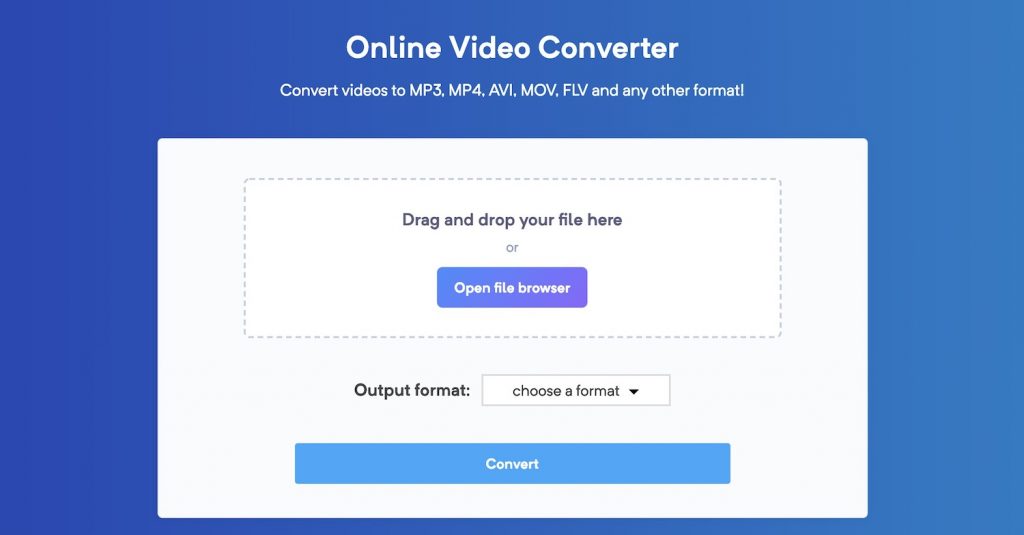
You will just need to drag and drop your file here or open file browser to choose your file. Notice that you will just be able to convert video files with file size of 150MB or smaller. We can choose the output format with a bunch of options for video and audio formats including MP4, AVI, MOV, FLV, WEBM, M4V, WMV, MKV, or even some audio formats.
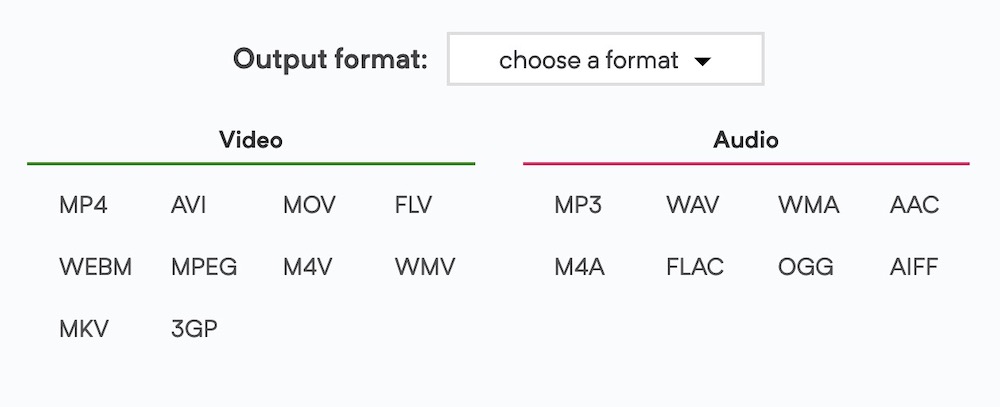
I tested the tool by converting a 98MB MP4 file to an MKV file and the process took around 5 minutes to complete, then it was available for download immediately. You should download it quickly because the file will be removed after 3 hours to ensure privacy and security.

You can check out the free video converter here. The tool is 100% free, so you can give it a try when you need to convert some small video files. I won’t recommend you to upload your sensitive videos because they will be uploaded to their server anyway. Even when the developer ensures privacy, some hackers could still get access to those videos somehow.
Disclosure: We might earn commission from qualifying purchases. The commission help keep the rest of my content free, so thank you!

Footer

GLACIER FRESH C03 Coolon Countertop Cold Water Purifier Review

MorningBlues SonicGlass A1 Speaker Review: Stunning Design Meets Smart Lyric Display

Pastigio Smart Digital Calendar Review: Is This the Best Organizer for Busy Parents?

ULTIMEA Skywave X40 5.1.2 Sound Bar Review: A Real Home Theater Upgrade Without Complicated Setup

Follow TechWalls

YoutubeFacebookXInstagram

Recent Posts

  • GLACIER FRESH C03 Coolon Countertop Cold Water Purifier Review
  • TourBox Dynamic Panel V2 – How It Transforms Lightroom Into a More Natural Editing Workspace
  • MorningBlues SonicGlass A1 Speaker Review: Stunning Design Meets Smart Lyric Display
  • INIU P781 SnapGo Air 10000mAh Review: My Favorite Everyday MagSafe Power Bank

Copyright © 2026 ยท All Rights Reserved