In a continuing, but infant, step into eliminating the password and replacing it with more robust security tokens, Google is looking to a physical security key to help security-conscious customers and users protect their devices.
The Google security key is part of the company’s long-time effort to come up with a stronger layer of security as attackers continue to advance their methods of stealing password and bypassing this kind of protection.
Google believes a security key is more secure than a two-factor authentication, which has been in wide adoption by major Internet companies and financial institutions for customers to log in securely to their account. The two-factor verification method, nonetheless, provides an extra blanket of security since attackers are prevented from taking over a target account from a remote computer or server or any other hacking device they use.
But since two-factor authentication requires a second security factor, as its name denotes, such as a mobile app, an SMS or another token, there is still the potential of intercepting those security factors and compromise an account. As the forms of attacks continue to become more sophisticated, it has also become easier for attackers to breach text messages and take over a user’s mobile phone. Some even hack into the server that creates the random codes used to pass through a two-factor authentication gate.
How to use the security key and protect yourself from attackers?
The USB stick is designed to associate with your account through a unique interface, meaning that there will be no two accounts that could be linked to that physical key. It utilizes the U2F standard of the FIDO (Fast IDentity Online) Alliance, so you will need to use a Security Key (FIDO U2F) device. Users will need to connect the stick to a computer upon logging in for identity verification purposes.
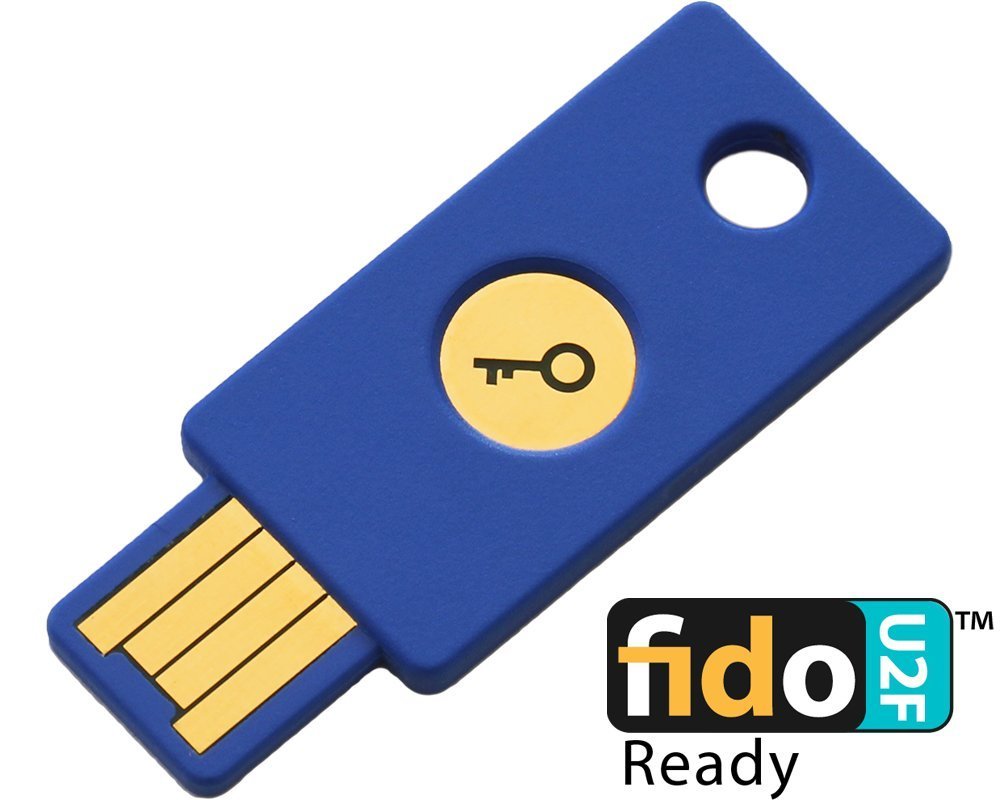
Then the user must tap a button on the USB stick in order to initiate the transfer of cryptographic key between Google’s server and the computer so that the identity of the user trying to gain access to the device is authenticated. The introduction of the physical security key is a promising step forward in a move to completely transition the basic login security requirement into a passwordless architecture and usher in the era of a more robust model.
As a matter of fact, the search titan plans to let Chromebook users unlock the computer and log in when an Android phone of the same owner is near the device. This makes for a seamless access to your Google account.